The Age of “The PBX” – 1970s-2000s

The PBX really became something of an on site telephony product by the 1980s, even though the concepts began in the 1970s. The advent of the integrated circuit along with programs, made these ol electromechanical relics to become obsolete. And I say “become” because it would be a long time coming for that to happen. ROLM out of the left coast, had developed military spec computers and dabbled into telephony, they had gotten into the business by the early 1970s. They became successful, then came Northern Telecom (later Nortel).
 

a picture from Andy of a ROLM digital telephone from the mid to late 1980s
A standard looking ROLM telephone from the mid 1980s to even today at some sites.

The Computerized Branch Exchange or CBX was obviously a registered trademark to ROLM and brought the concept of a box making and answering calls and users would have devices that they could use to answer or place calls. Want to call out, you hit a button like 9 or 8 like you did in a Centrex setup. The system could route calls per to what a number was pressed, and block it or rout it to another set of trunks to save money on long distance.

Northern had introduced the SL1 PBX in 1975 (but not to be confused with the X11 platform since 1988 and the Avaya fusion of the 2010s). The SL stood for Stored Logic, or just code living on chips with a programed software. The SL1 was not friendly to a manager of machines, but for engineers, as well documented on this site for a number of years. This plagued into the Meridian 1 days. At this time most electronic and digital PBX systems were not as simple to choose. the SL1 PBX for an example came in about 12 varieties, between software options and hardware choices. It wasn’t like an Option 11 could cover 500 users, with 60 inbound lines today. Lot of this had to do with the computing of the 1970s.

Mitel was one of the first companies to introduce digital desk phones that allowed multiple line and feature access. Their system was called the Superswitch, and the phones were called Supersets (this is where the “Superkey” comes from even in their current VOIP carnation.) They wanted to make a PBX phone a bit more functional than a 2/500.

For some of the readers… you’re waiting on Ma Bell. Well AT&T’s Western Electric division was in no hurry to go digital, in fact some antidotes indicated that AT&T had plans to go into digital telephony by the 1990s… planned as far back as the 1960s. AT&T’s first PBX that was electronic in nature was the Dimension PBX, and Horizon PBX. For some lingering Avaya fanboys, the cabinets of these things were no modern marvel, unless you thought one cabinet holding 50 lines was a great engineering feat. A PBX scale from users/extensions to lines made sense from an economic scale for years, but when the electronics came in, boy did it take real estate. To power a 10 button Multibutton Electronic Telephone required 8 pairs of wiring. a far cry from the ol 25 pair, but certainly  for what it could do was very limited.

Turn around for technology takes several years, by 1981 the researchers at Bell Labs started to develop a fully electronic telephone network that would make the Dimension/Horizon hot mess end. ROLM’s phone systems were mostly ol 2/500s and the fancy phones were for operators. Nortel had made digital phones as far back as the creation of the SL-1, but they made their phones mimic the infamous 1A2 Key telephone system (this explains why the Nortel Meridian phones have few line buttons, and are set up for a single phone number.)

Western wanted to be unique, and this uniqueness for users stood out from the competition, they opted for use Merlin-looking telephones, but instead of having 4 line buttons directing to the outside world, use the top left row to have by default 3 instances of personal line appearances to make the phone ring, page, etc. This would be considered “call appearances” and made these phones more attractive than the MET, which sent a bit of a mixed message in the technical sense. the MET had literally Multibuttons, but not multiple lines or appearances. One call to an MET phone at a time. Want to transfer? You had to press the Recall Button, and then press a button called Transfer, then hang up.. .and it had the infamous Red and Green color indications.

The transition away from “System 75 and 85” to Definity in a 1989 TV campaign in the mainstream media

By April of 1984, AT&T introduced the System 75 PBX, with 7400 Series Digital Voice Terminals, that were a bit superior to the MET and it took several years to fix user pet peeves with the quirks of the phones, but by 1995, the 8400 Series Voice Terminals really put AT&T on the mark leading into the Avaya years, and by 2020 Avaya became an also-ran company throwing the combined history of Nortel and Lucent and AT&T into a trashcan.

For the mainframes themselves, AT&T went to extra lengths to make the system be as efficient as possible, they developed the Information Systems Architecture (a nod to what became their enterprise/carrier services) developing a company standard of circuit boards and connectors and one large cabinet could hold 900 lines. But the System 85 was basically the Dimension PBX with with System 75 hardware. There was some differences in the Dimension-specific hardware. To run the PBX’s code, required it’s own cabinet, while the System 75 could run on a single circuit board.  But to put lines and stations was equal though.

For a number of years, hospitality only used electronic PBX systems to monitor, route and direct calls per to numbers dialed, did customers get the same treatment in offices? No, they stuck to 2 wired analog phones, and the front desk typically had a digital set. Other industries may had many average users having low button phones, and more power users had the middle line, and assistants had multi buttons between 20 to 34, while the executives had the 5 to 10 button set.

The fun facts of digital PBX systems is a) the computer is technically a “phone” per to the FCC regulations on Part 68 b) and the desk phones I call just “sets” because they are regulated as Part 15 in FCC rules. c) these “phones” cannot use the regular Plain Ol Telephone provider, and are not engineered to work at home or remotely without some box. This is why I do not call these devices a “phone” but due to FCC regulation in 2018 and 2020, they see them as “phones”. The “PBX” is a computer, and it’s there where it dials out phone numbers, your “extension” is a device that tells the box what to dial using your dialpad.

Obviously by the 1990s a PBX of the 1970s that used to take an entire corner was miniaturized and could fit into a plastic “shoebox” and by taking some code and adapt it to a microcosm allowed Electronic Key Telephone Systems do function more like a PBX than an an EKTS itself. This is where the blur of what is a PBX and what should a KTS be.

By the 2000s, most VOIP vendors that had no experience in legacy voice really amped up PBX systems as opposed to Key systems. Everyone thinks a PBX, is anything that’s on site and can route a call is what everyone wants…

#
Why Private Branch Exchanges was overrated (*Prior to the 1970s*)

The Private Branch Exchange… the No Frills Approach for Saving Money on your Telephone Bills!

In the wayback of time, in the days of electromechanical switching, and you had say a 500 users… what was your options?

There was two options. Centrex and a PBX. What was the difference? One was off prem at the phone company and the other was just an identical copy of a switch, just a bit modified for an on premise environment. I should also state, that back in those days, it was not abnormal for PBX systems to be in sites less than 200 phones. The role of a PBX at the time was to have less cabling going in, allowing users to call each other by a 3 to 4 digit numbers, and be able to access to the outside world… but in those days most of the PBX was done by humans…

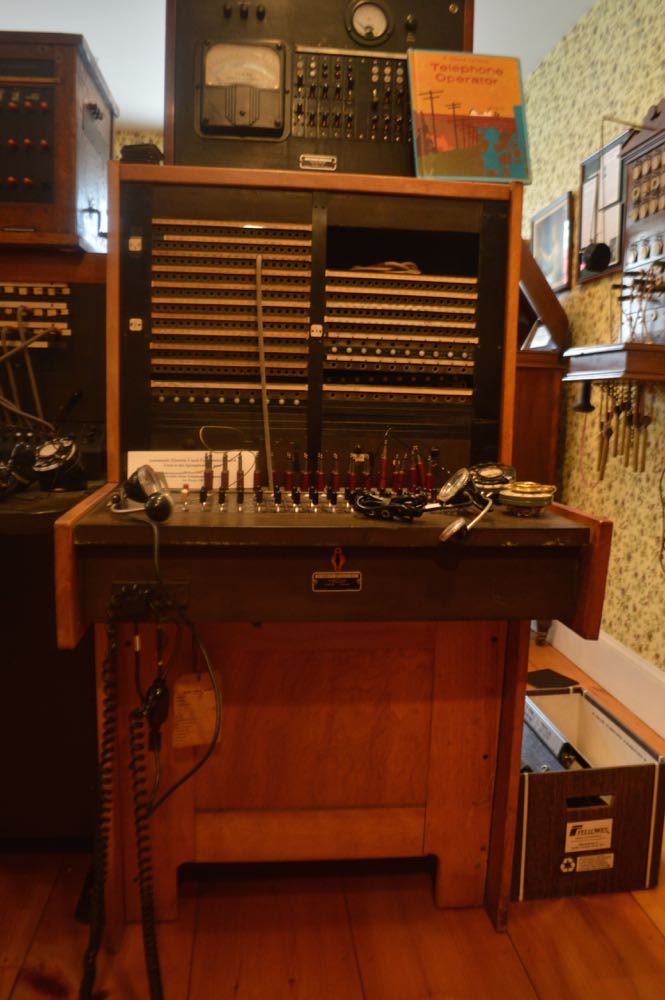
an image of a western electric operator station taken at the NH Telephone Museum in 2015

The operator switchboard was basically the “PBX” while in the switchrooms, was all the switching of the time whether it was crossbar or Step by Step. There was not that many features, and that didn’t come till the days of ROLM, Northern’s SL1 and AT&T’s Dimension.

There was “Cordless switchboards” that resembled the Call Directors, but it was done in a similar fashion, a call would come into a bank of lines, and the operator would buzz the extension to then patch them in via buttons. But a cordless switchboard was still a very wiring intensive devices, with many, many pairs of wires that had to be tied directly to the console.

So what about outbound calling? Before the days of electronics, a user would “dial zero” and ask to dial out, the operator would patch that caller, and either s/he would dial, or if the operator was nice, would dial the number for that caller.

The cost of a PBX, to users to lines was still cheaper, but was mostly seen in hotels, and some businesses where handling calls were important. The 1970s that brought the ability to have multiple phones and few lines coming from the telco, also brought features like station IDs (internal caller ID), Automatic Routing Selections and Automatic Alternative Routing, and anything where a computer could hear the tones and or rotary pulses where the PBX could dial for the user, rather than an operator. This moved the dialing into an electronic mainframe, but the operator still had a role to play, to answer calls, to juggle calls, and to monitor the health of the electronic PBX, sometimes outside of the States it’s called “Private Automatic Branch Exchange”.

A lot of these PBX systems were phased out with the advent of electronics by the late 1970s, but there were holdouts up to the 90s. The White House had zero electronic systems until the Clinton administration that by the mid 1990s had installed then an AT&T Definity PBX; that only had a shelf life of 3 Presidents dual terms. By 2017, the Trump Administration had prided for having a “very secure” phone system that was a Cisco, which had been a secondary system since the latter end of the Bush administration.

If you are a Gen Xer and older, you could tell a system was a PBX or Centrex by telling it’s telephone.

Standard one line phones were common in PBX setups even in the days of electronic.

If you did see Key phones, most likely it was because they were the power users, and needed direct access to lines without operators or codes. While some say the 1A2 concept was dated by the advent of electronic systems, this was critical in places where calls couldn’t get dropped because a transfer failed. In the advent of VOIP, the physics of how a call can be captured or be answered or a line can be captured… and that can be blamed to the lack of listening to customers in the world of IP… but that happened many years later.

AT&T Commercials: System 25 PBX


I know my way around the switchboard better than anyone. But this new system we got here…well it’s so complicated no one can work it.  It’s no wonder things are running amok around here. I think they should cut their losses and work from scratch.


This was one damn good ad campaign that ran on mainstream primetime programming. I mean when I was growing up Nortel and Avaya could only get their way on cable news. CNN was the highest they could go outside the 3 business cable networks. But with the rise of VOIP and other UC vendors out there that could be just as bad as 1987, you wonder if there’s another vendor out there that could do “Your Business Phone is Your Business Lifeline”

By the way: The System 25 while it sounds like System 75 is not. The System 25 was based on code from the AT&T Merlin but the catch here is could do light duty PBX. The “hybrid” boards used on the Definity PBX was actually designed for the System 25 for users upgrading from the 25 to the 75. Under 200 ports was the audience. System could stack up to 3 carrier cabinets, and the cabinets were recommended to sit on top of a desk or a filing cabinet and not on the floor. Many years later, the signature design of the System 25 carriers can be seen in modern day Avaya G650 rack mount carriers.

The System 25 didn’t have much of a roadmap. It didn’t last long as a new system and the recommended replacement was a small Definity G3 small carrier cabinet, could hold a System 25 in one wide carrier.

System 25 cabinets can be purchased on eBay. Without software it can’t do much, and to load them you would need data cassettes to load the software into memory. Yup it’s that old!

Ugliest Operator Consoles, part six

You thought Avaya would be off the hook (non pun intended) right?

Nope! It would defeat the purpose of being the equal opportunity offender.

dimension_console
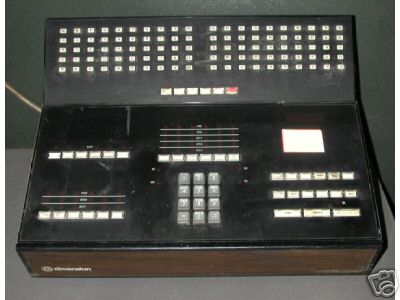
Dimension Attendant Console, circa mid 1970s. NOT MY IMAGE.

This console was made in the early 1970s for the Bell System’s Dimension PBX (and smaller versions most likely for the Horizon system.) The console was a weird design consisting of a shoebox form factor.

3c6f_1

To the right of the set had only eight characters alpha numeric LED display. The console is filled with many indicators (the design at the time.) The console was very primitive for it’s time. No call appearances for overflowed calls. The buttons above the dialpad did act as such but they were referred (IIRC) as loopback lines.

Even stranger, as with many consoles at the time, would require a straight up, direct line from a special console port on the PBX to the location of the console. What was it’s connector? You guessed it, a 25 pair Amphenol plug!

While the Dimension console did in fact have BLFs with buttons, it was a seperate option and was located on the top, picture shown above.

OLYMPUS DIGITAL CAMERA
Not My Photo – Same Crappy Set a with new Look! (and more BLFs since the System 85/Definity G2 could support to over 30,000 extensions on a single node!)


In the mid to late 1980s, AT&T remade the set – took away the wood grain decal, mainstream of office telephones of the time, and made it jet black, to match the Merlin-like sets of the time as this console went into System 85 PBX line. If research confirms my out of experience of that PBX, the only attendant console, had to be one that was hard wired to the PBX. Unless with some reversed engineering, and some creativity, one could theoretically take AT&T’s ISDN console that was identical to the 302s, put it as an ISDN set and do it that way.

The Definity G3r succeeded the System 85/Definity G2 (aka a band-aid Dimension) in the mid 1990s. Release 5 was intended to be the combination of the 2 PBX systems, after all it’s core roots dates back to when the Bell System marketed the thing. Of the many fundamental changes, what retained were desksets, carriers, etc.; what went away was some of the user interfaces, the notorious MAAP to program the system, and the hardwired attendant console. A 302 could replace it via a 2 wire (2 pair if you wanted power coming out of the wall’s) voice drop and be affiliated in a DCP line over a dedicated attendant port. The only set that would continue with button caps at this point in the late 1980s lead into the 302 set to have similar clear plastic overlay for designation keys.

It’s strange the console given its “electronic” ability, could very well be mistaken for being some electrical box like an ol Call Director or 10 to 30 line set.

It’s one of those “I so just don’t want to remember this set”

Ugliest Operator Consoles, part four

img_0598

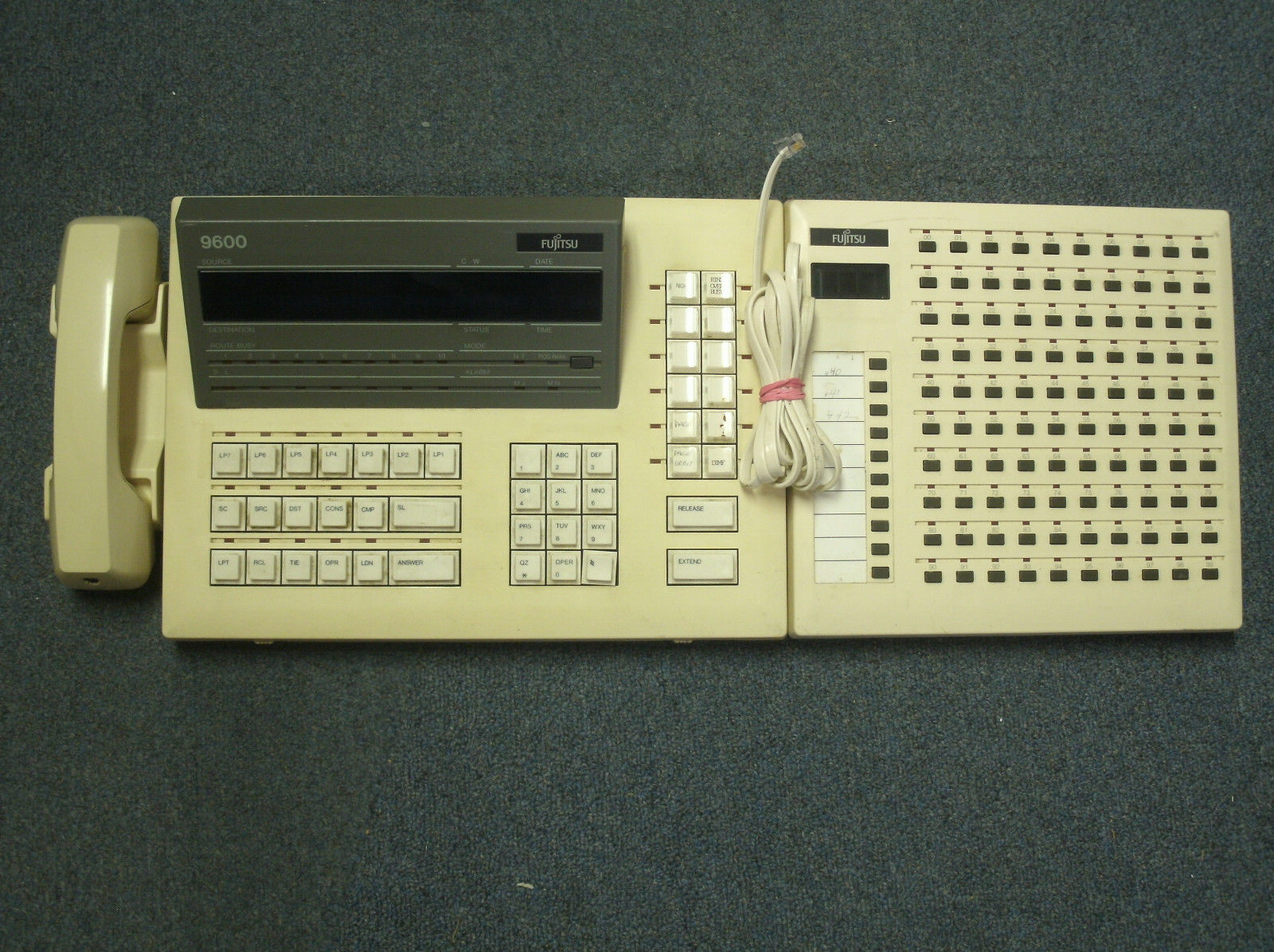
This one is a little more tolerable, it looks like an ACD console, but it’s an operator console. Fujitsu marketed an F9600 PBX in the 1990s, some customers took advantage of their offerings. (The City of Nashua, NH is one of the local users I can name off.)

The BLF is rather interesting because it’s something you expect from a Japanese made Key Telephone System. The DESI-d buttons looks like an equivalent to the Hundreds Group Select.

What’s also common with many of these consoles is how “dumb” they are. The time of day is essentially a local desktop clock on a phone. Some of the consoles have those little buttons similar to your car to change the time. So they couldn’t pull time of day information from the PBX itself.


Ugliest Operator Consoles, part three

img_1694

(I guess I stay up late looking at my own screengrabs)

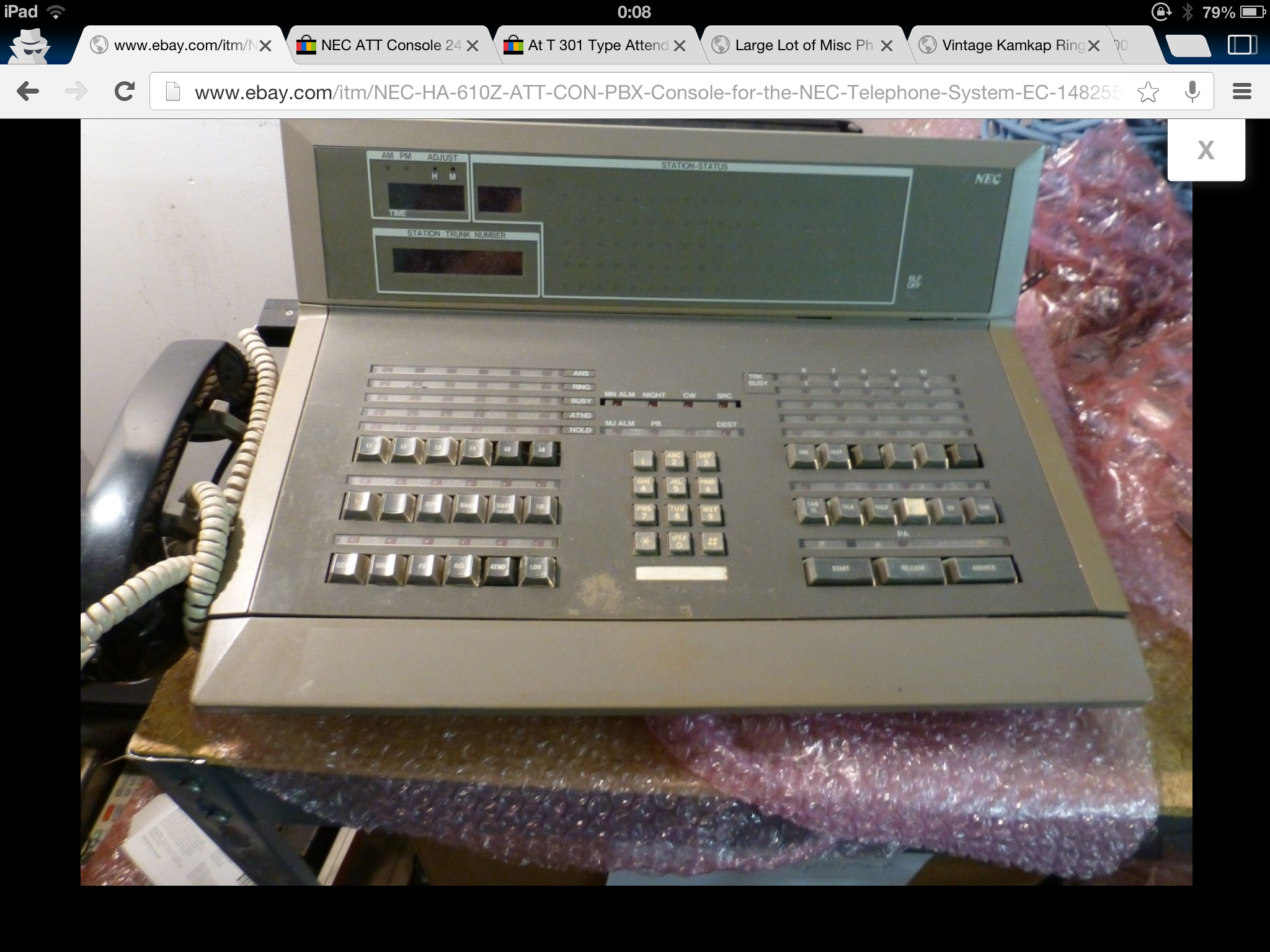
The Japanese are no angels ether. I guess since digital PBX systems were derivatives of the design of mainframes, the consoles that used to manage mainframes, were not based on CRT in the beginning. Heck even the first PC – the Altair, was filled of complicated LEDs and switches.

This console most likely is used for the NEAX PBX system (the equivalent to the M1, the G3, or SX systems.)

In the late 90s, early 2000s, they too got their act together, and had a sleek console with the user in mind.

Again not my pictures, was taken from an eBay listing.

POTD: Avaya Red 8410 DCP Telset Attitash Grand Summit Resort | Bartlett, NH

img_8926

This was taken at the front desk at the Attitash Grand Resort Conference Center in Bartlett, NH. This area in the building is where you can only spot the digital sets. The nearby bar, conference rooms and rooms use analog sets. There is no evidence of any attendant consoles ether.

I’ve frequented this facility during the spring time over the last four years for an annual conference. I no longer attend, and I like the place, so I went for the vacation this week. The people I used to see at the front desk were not working (or is no longer working there) to see if I could see the switch room.

Continue reading

My Collection: Mitel 3300 and IP Phones!

This sudden surprise came to me from Jason, the same one that gave me his old G3 PBX. This time it was a Christmas present for me. I really appreciate it. I got less than a 36 hour notice a package would come via UPS to my doorstep, to find out he had an extra Mitel system.

Without going into details, the system arrived Wednesday, the 2nd. I got a completely full fledged system capable of voice mail, auto attendant, analog trunking and what seems to be a dozen IP phones.

I decommissioned a Nortel POE switch I had for over a year to get a Cisco POE switch (since you know its best to have “Cisco all the way” – especially when I’ve made an aggressive move to use VLANs.) Simply put, to reduce manual labor of programming VLANs on Cisco Phones, it’s best to use a Catalyst Express 520 and enable CDP at the Cisco router so the PC traffic can talk to the other 12 ports and the VOIP talk to the other 12 ports. Makes life a lot easier especially when I’m introducing internet hosting to the network (next year’s project.)


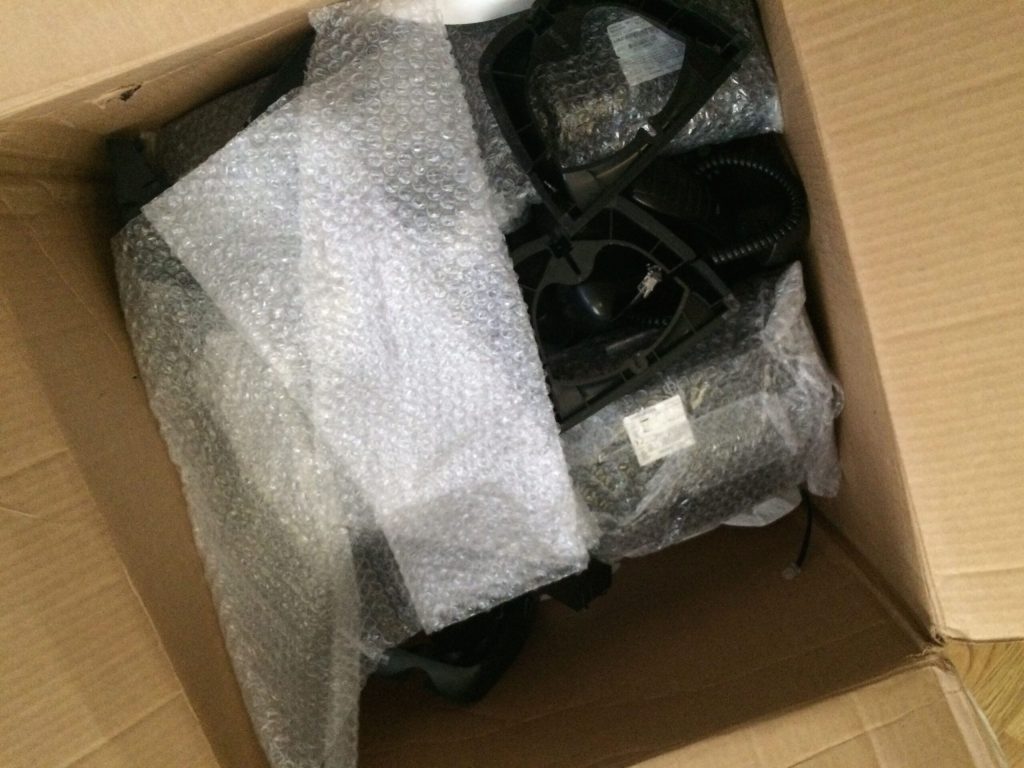
The package came on the day that it happened to rain for the first time in years (sarcasm implied.) The UPS folks were too lazy to put the system in the proper baggy, and the package was damp, and the control unit (on the bottom) was about to break open. Factor the raw cold air, I left it downstairs for a few hours.

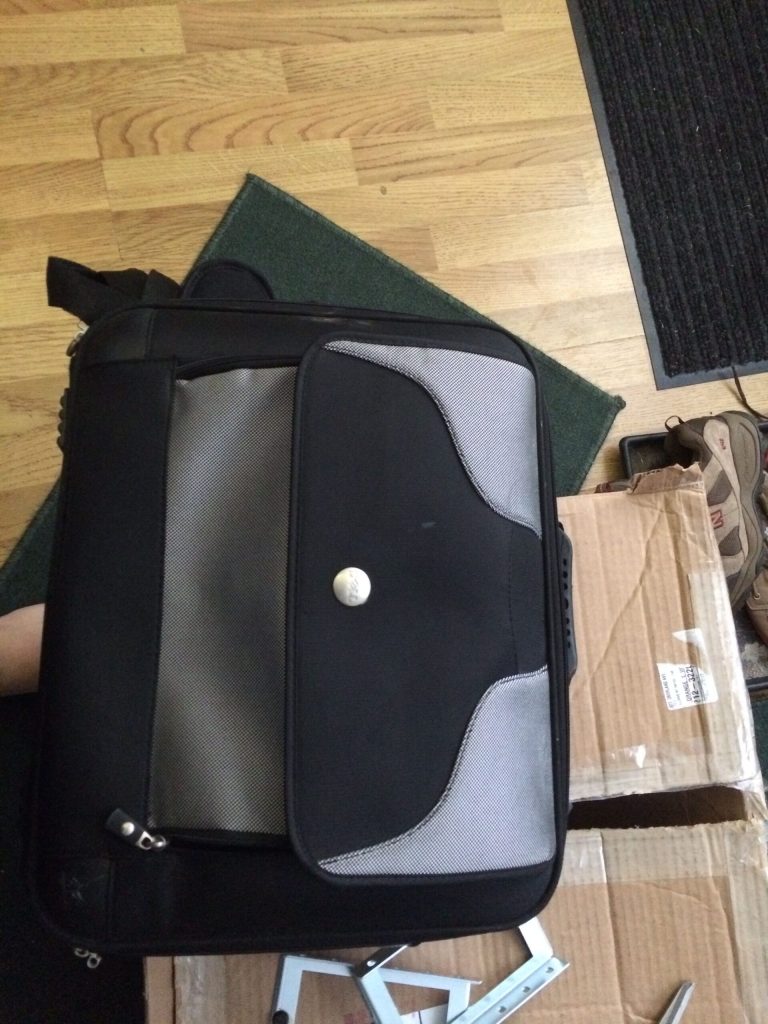
Using an old laptop bag for packaging material is pretty genius! (And you can’t have too many laptop bags!) On the bottom is the rack ears, which I may actually bring the Mitel over to the server barn (i.e. a small rack in the family room.)

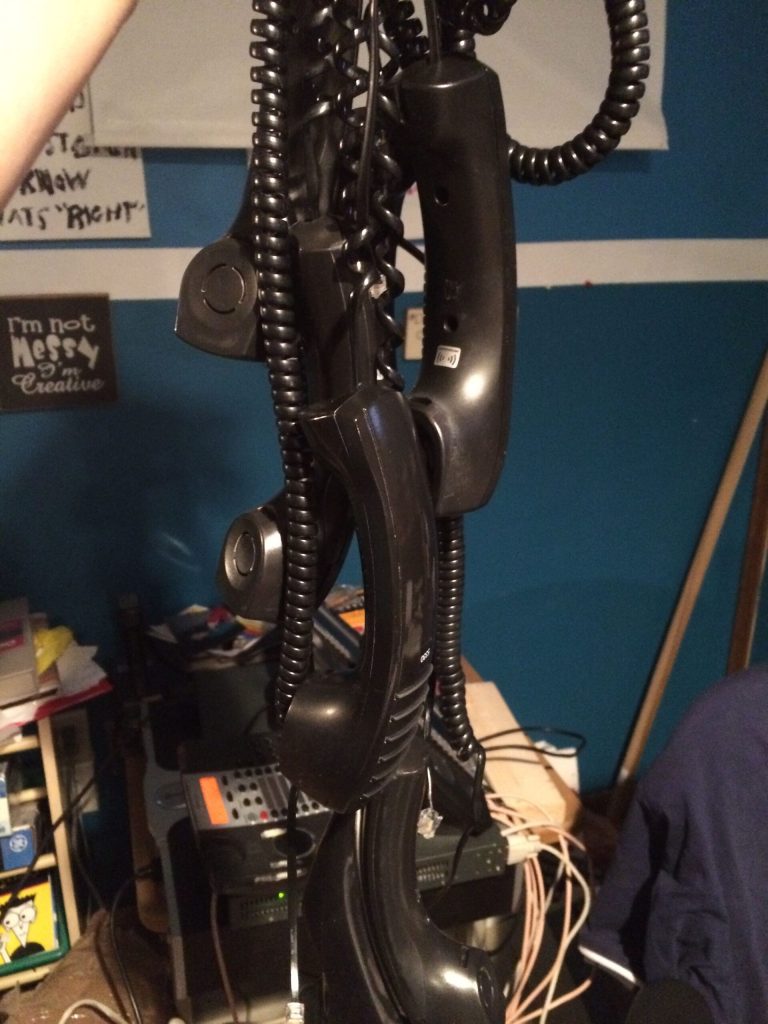
A bunch of Mitel IP phones, I had some extra handsets, wonder if they can work on the headset jack for “training” uses, you know, hehe?

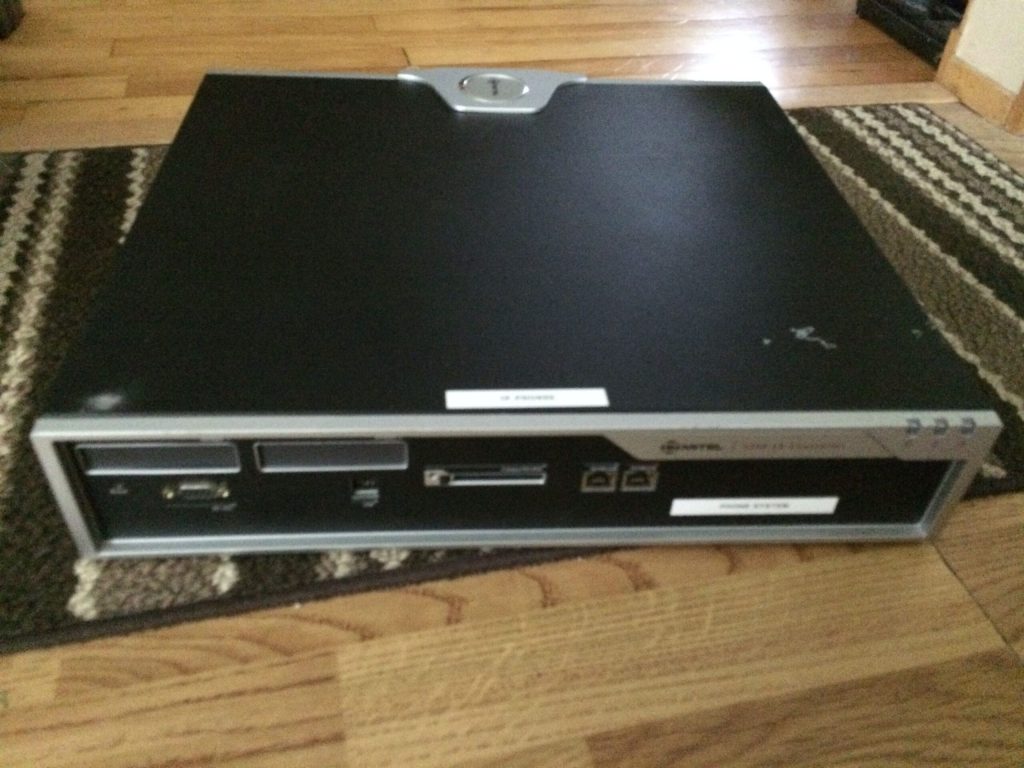
The basic Control Unit, without digital boards (in the front panel.) I’ve yet to open up the system because I believe its screwed shut, and I just found time to blog on this – as I haven’t gotten into the inside – yet.

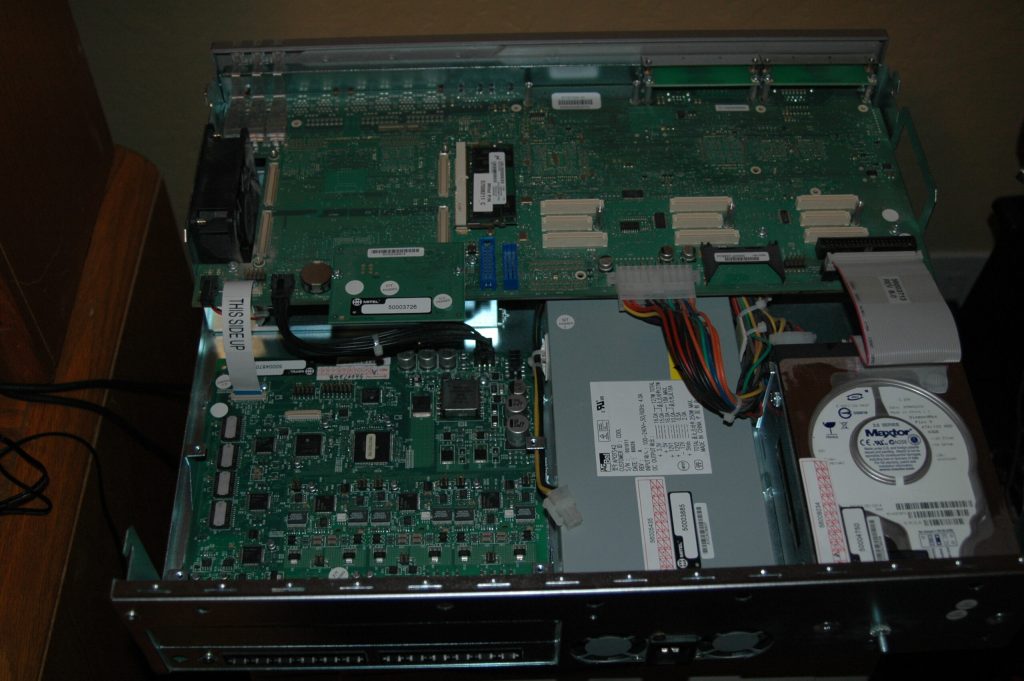
Not sure if I have the formal OK to post this image from a private email from Jason, here is an inside of his he took for me to see.

This looked a little artsy.

I did get more handsets than telsets, and the box could’ve held about 12 Mitel IP sets. Mitels are cool in the design because the way they made it low profile. The sets are heavily curved, so a 7″ deep set of a modern Mitel equates to a 8″ of a traditional boxy telset. (These in fact remind me of the Merlin style believe it or not.) This also comes from the same vendor that made some really odd looking sets in the late 80s, ones I haven’t taken photos of. Mitel also made some really odd looking first gen screen phones. I don’t have a picture handy, and I think it’s best to try to let it rot and not put it on the Web.

Setting up the Mitel was really easy, given the dependency on an old version of Internet Explorer (the admin is about a decade old when IE 6 ruled the world – don’t blame me for vendors creating apps just for Microsoft!) and navigating through its prompts I was able to create a dial plan, figured out how to set up the phone’s line appearances, etc.


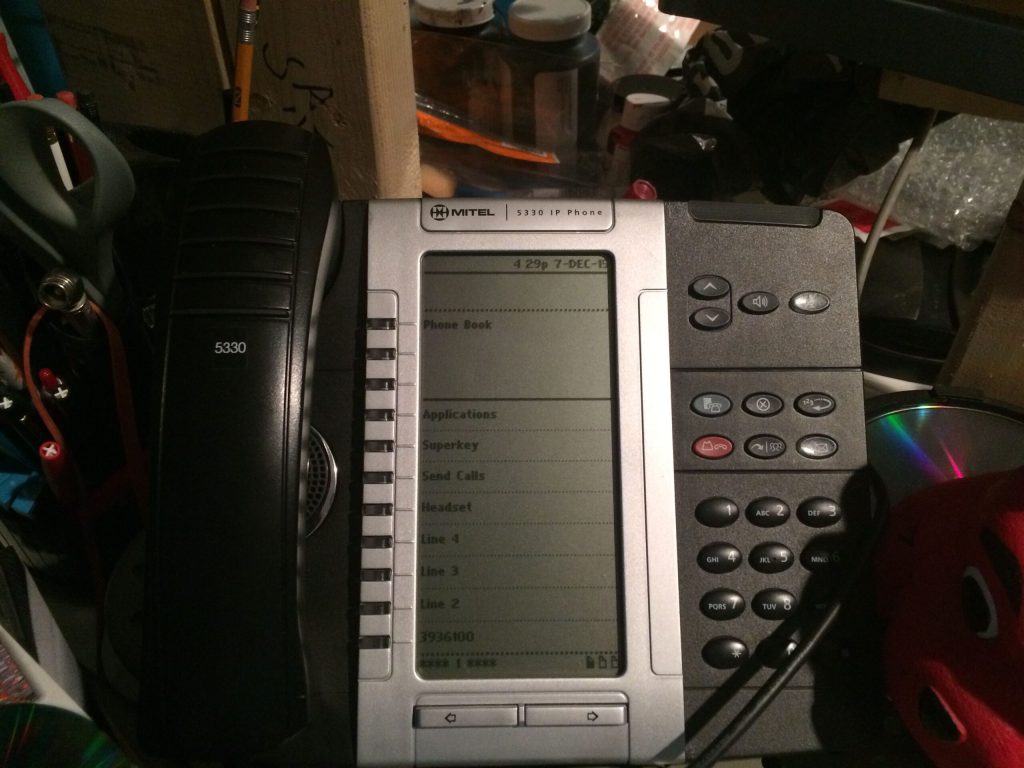
I got a few 5330s, their screen based sets. They are similar to Avaya’s 960x series, to not fully alienate traditional desktop users. The main information is on the top, and the lines and feature are below the solid black line. Page up through 3 pages and you can have up to 24 features and lines. (From my experiences, you can’t go beyond 4 call appearances -sometimes called “Multicall” on Mitels, but there maybe a loophole with bridged appearances.)

(You wonder how come I have “Send Calls” on the screen? Simple, you can rename feature keys or anything for that matter, which is good if you cutover from one vendor to another and try to mitigate retraining… wait, IT guys ask what is “training”?)

A caveat I learned was the blue button known as the Superkey does not work like other Mitel sets. For these 5330s, you have to program a feature button also known as a Superkey to change ringers, and other settings – for me it’s a little weird. Hardware specific on the 5330s is done on the actual blue key – which to others could be mistaken as a Superkey.

Despite other oddities, the system compensates it with very feature rich functions on the sets themselves. If you don’t get through to another user, you can activate their MWI by pressing your VM access key while ringing – which is kinda cool.

This is an incomplete post with more pictures and video to follow.

Rants: IT’s Dissent to Telephony

File this under IT is what it shouldn’t be. I mean, IT as in Information Technology.

A partner  of mine gave me a link to a page entitled “Meridian System Tech Support Guide” written by a Nicole Hayward for some pro-IP voice provider. Joe the UCX Guy would have a field day with these types of sales traps.

Let’s take apart the post one by one and call this young lil’ whippersnapper out

It’s no surprise that many network administrators and IT professionals are seeking Nortel Meridian Phone System tech support.

Well, I mean if you’re in IT, you hate people, why would you want to manage a system that requires people skills (AND having to deal with end users?)

 Released initially in 1975*, it’s been said that the Nortel Meridian is still the most widely used PBX for businesses with 60 to 80,000 lines. But when it comes to support, the hard truth is: Meridian systems are well beyond end-of-life

* Somewhat misleading, the SL1 came out in 1975, the Meridian 1 went to market circa 1990. As she implies in the last sentence, lets not let the facts get away of a good sale. She uses Wikipedia as a primary source, instead of here. (Laughing out loud!) Don’t get me started with the agism on the last sentence.

Nortel went out of business in 2009, and Avaya acquired its assets. There is no single source for Meridian tech support, but I’ve gathered a few resources and tips below. Please keep in mind: You’re probably better off selecting a Nortel Meridian phone system replacement.

“No single source” – well wasn’t that Northern’s way of using vendors for non Fortune 500s? Whatever. Like the UCX system. All you need is a server replacement. All gateways and digital and IP stations made in the last 25 years will work, young miss. instead of some crappy phone service that that basically emulates tip and ring over IP to be honest. I gotta do a SIP article sometime soon.

On the common system failures, this girl confuses the M1 line to the key based Norstar. (And yes I’m being crude, because there are women out there who do love TDM phones and can be much more intelligent than some millenial)  Again, sales have no damn clue about telephony at all.

  1. System Programming Failure – “The Nortel Norstar system utilizes a super capacitor (super cap) for maintaining the programming data in memory. The problem is that the supercapacitor has a high incidence of failure as it ages. There are no outwards sign of failure (nor any way to test, other than unplugging the system) as it’s only there as a data “backup” system.”  [Kremlacek]

IT people or ones with aggressive sales backgrounds are very manipulative. If she ever worked for me, I’d press her for harassment charges, with her kinda tone that shows below.

If you have prior experience with Meridian equipment, manuals may help. Otherwise, don’t try this at home, folks.

What, I can’t have an M1 in my house? Not even an Option 11… my goodness what planet are YOU on?

While I couldn’t find a single repository of Nortel Meridian manuals on Avaya.com, many of the past PBX resellers and business partners have published them. I found a big list of Meridian 1 Options 11C, 51C, 61C, and 81C manuals here. You can find a particular manual by Googling the system option, e.g. “Meridian 1 Option 11C Manual.”

Yeah Google may not be your best friend, ever tried SUPPORT.avaya.com? And what is this Unix reference of “Repository” – we we call it in the ‘biz a COLLECTION…grrr! 

At this point, I want to become a Wookie…and I’m not even a Star Wars fan!

Among the other options, she writes about the various options, but basically rips and writes the content, and doesn’t put it into her words, like whatever Avaya’s brochure says, must be true, type of attitude.

So here goes the sales pitch:

While it’s tempting to keep your existing phone system on its last legs, consider the costs: your time, a technician service and/or Avaya maintenance contract, refurbished parts, etc. And at the end of the day, it’s a short-term fix. You are better off considering a new phone system solution, and it’s likely a hosted VoIP PBX will work for you.

Why hosted VoIP? If you were getting along fine with the basic phone system functionality that the Meridian PBX offered, your organization will be floored with the capabilities that a cloud VoIP providers offer.

Um, excuse me? Do you even have a clue how many features the M1 has, or are you judging on the original SL-1 specs from 1975? Oh wait, there’s more!

Switching to hosted VoIP can be done in a matter of days. Most hosted VoIP solutions, like OnSIP, have 50+ phone sytem features, utilize your existing LAN, and require no investment in equipment beyond the phones.

There is over 300 end user features on the M1 and I am not even CLOSE to being a Nerdtel fanboy, Nicole! There you go, these scare tactics + sales makes customers creep out and cave into some dummy millenials who can’t tell from tip vs ring, or the functionality of a true PBX vs some Asterisk type. Good luck cutting over to a “hosted” solution for 8,000 ports (an average port count in an M1 setup.)  These IT and sales people want to sit at their workstations and not get them fingers dirty in those lovely 66blocks with hard wired telephones.

Of that, lets turn this sales pitch, to something relevant to the Museum, if you walked away in the last calendar year learning something new about telephony, please return the favor with kind feedback or a donation or something on the Wish List. I’m love to get tiny compensation to take time out of my busy live to try to fill the Web of something other than the Political Correctness of Technology known as Information Technology or PCs. I stride to be 99.999% accurate and clear of all the exhibits and posts before it gets published.

*

Telephony 101: Interactive Voice Response Systems (In the Traditional Sense)

IVR is short for Interactive Voice Response system. Despite the name and what administrative UIs like FreePBX or Asterisk tell you, it isn’t “a/k/a an Auto Attendant.” It is not a Digital Receptionist.

Auto attendants are simple “Press 1 for Sales, Press 2 for the Service Department and Press 3 for Used sales.” Auto attendants simply transfer calls to a group of extensions or to a single extension and probably pass over the Caller ID information as well. Auto attendants also are part of the voice mail system, not the phone system. IVR is much different.

IVR systems traditionally used to be a separate unit similar to conference calling and voice mail systems, it resided as an appliance, whether it is a mini fridge form factor or a VMware virtual machine in todays standards. IVR systems tied into the PBX or Centrex system as an extension and with the trunks routing calls to the IVR system.

Despite the name, V in IVR referred to the technology (voice or telephony) and not the actual human voice. With voice recognition technology today becoming the mainstream, using vocal prompts and not dial pads are becoming more and more common.

IVRs are typically found in enterprise environments.  In places like a Domino’s franchise or a drug store, similar technology is called a Computer Telephony Interface or CTI  because it doesn’t need to be connected to a large mainframe, or need multitude of trunks or lines to interact, however depending on the computer system and the phone system, the data can interact with one another.

As mentioned with CTI, IVRs typically bridge from the data computer systems and the voice systems. For instance, when I called AppleCare once to get assistance on my MacBook, my old number of 603.289.[BLEEP] got into Apple’s database. Later on, when I called Apple again a year or so later, after answering with my voice, the second or third question asked me about if it was my MacBook. This is an example of how IVRs work.

Continuing on Apple, the IVR system can also work along side with the PBX and the database where customer service or support information is stored. Depending on the answers I give, the call will route agents in the call center. Most of these environments are separated into groups, especially in a technology company that varies customer to customer’s needs. In the Avaya world (since Apple was a long time customer, and knowing the Avayas better than others) calls would routed in their “vector” fashion. Such script would be “If call xxxx then goto YYYY [vector routing table where specific support agents are assigned to]” Users or extensions would be tied to the various VRT or vector groups that are dedicated to answer various types of products.

As users enter in certain information (whether its an iPhone or an Xserve or a Final Cut Pro) to the IVR by calling Apple, this will route that call based on the answers that caller gives. So if a customer has had a rap sheet of problems with Final Cut Pro, the PBX and IVR system will detect that users number and associate that data to an agent that is designated for their Creative Pro software. In the Avaya systems that is called a “skill.”

IVRs can be designed to measure call data based on a variety of data points as these systems can then report back to the database system similar to a SMDR does to call records.