Phones @ Work: Garbage Time with Katie Nolan

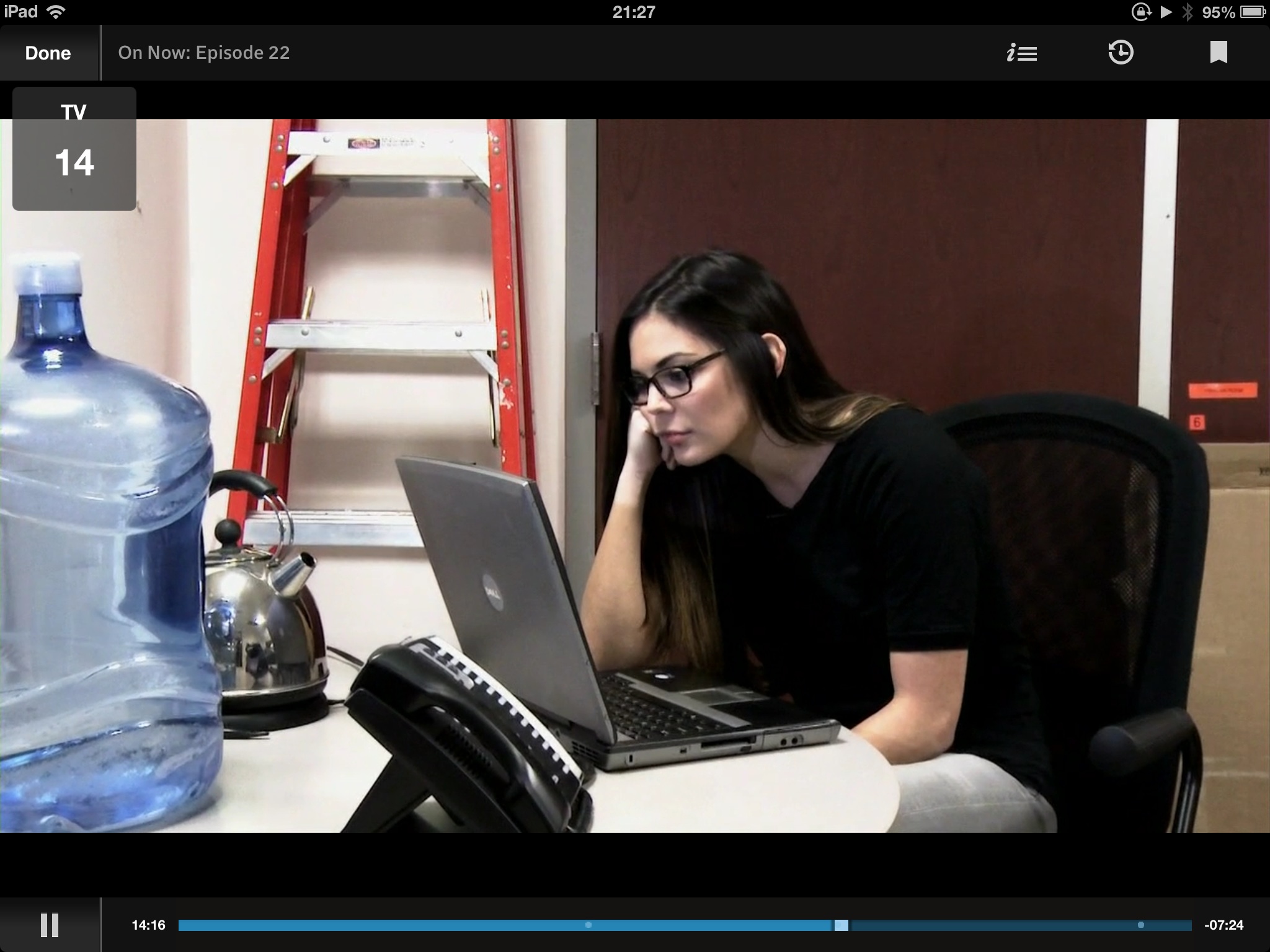
I spy some Telleyphones on the Telleyvision!

Garbage Time with Katie Nolan is taped sports-talk program that runs on Fox Sports 1. What time does it air? Well, the time varies because the network is heavily dependent on live sports events (who knew, isn’t that why ESPN was created?) I gave up the lost cause by turning my set on FS1 at 9:30pm Eastern Time after running into the soccer games or any other sport I wasn’t interested seeing live. I like the talent because good looking people with intelligence is hard to find on TV. Anyways the program with heavy substance* is an Emmy nominee and a new “season” is supposed to be running on a more decent time, according to promos recently running on Fox.

*because cute brunettes from the Boston area cannot sustain a career because they know what they are talking about!

image


The New York produced program is not at the Fox studios. Outside of their cable news networks and flagship TV station, everything is produced or originated in Los Angeles. I believe Katie Nolan has control over her content, and most likely it’s produced third party studio. (There is a clip somewhere showing the very small studio. I bet My home office is bigger than her “studio”!)

image

Because of this, you can see this studio operation using Allworx and not any Avayas you see at almost any Fox-owned property (Fox is still religious to being an Avaya Red operation.)

The screengrabs were from about the last 6 months or so living on my iPad. I just finally got the chance to upload them.

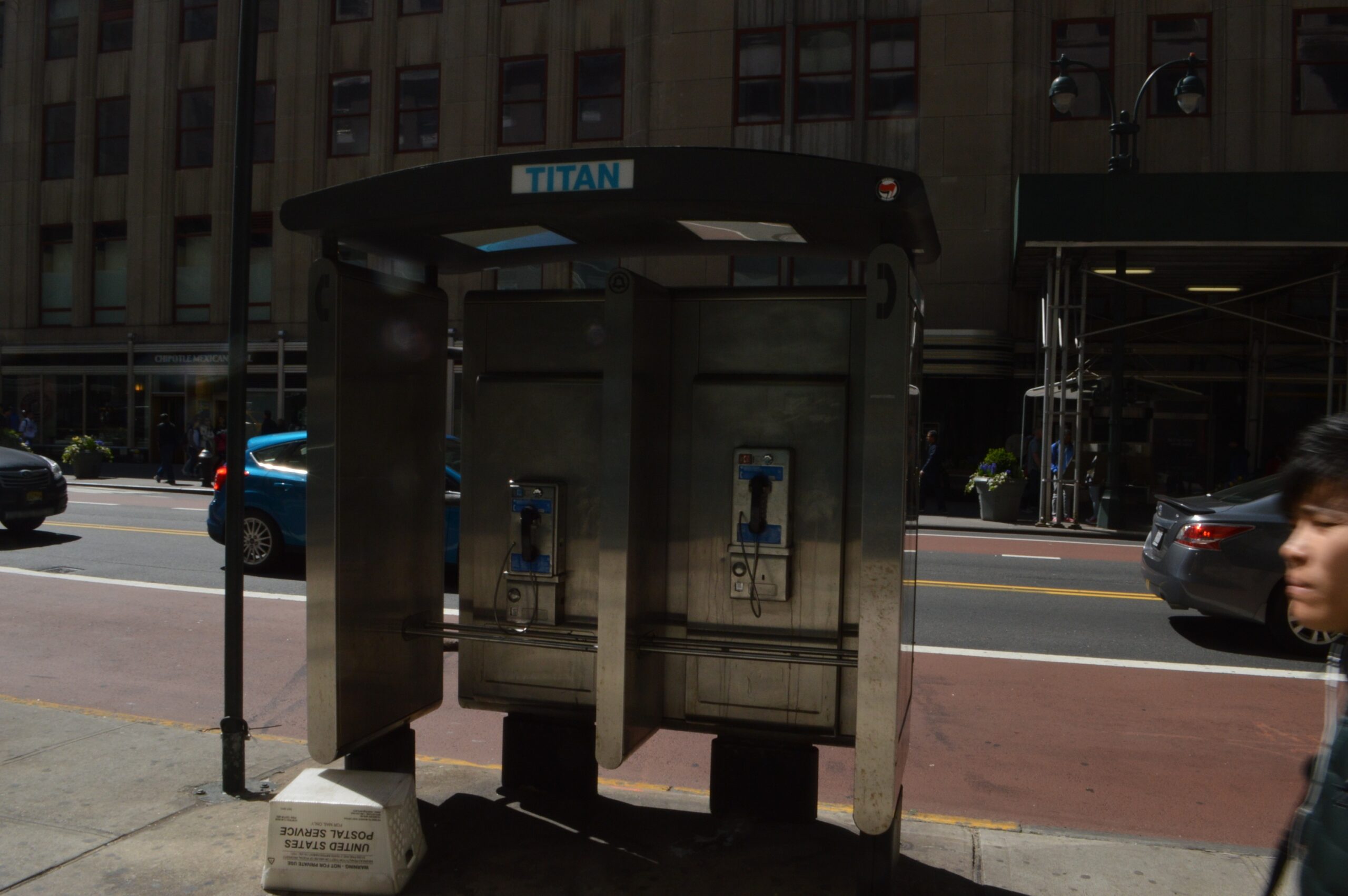
Pay to Call: NYC Visit: Telephone Booths

I did not test these on Saturday as the stereotypical SOP of visiting New York is to avoid touching things unless necessary.

I wasted nearly 60% of my battery juice on my iPhone taking pictures and loading them to Instagram (like a stupid teenager) and I stupidly forgot my Lightning charger cable to charge the phone with my emergency battery.  I had to go to the 5th Ave Best Buy as the Fifth Ave Apple Store had the worst service, 12 or more people walked by me and didn’t offer me help (i.e. helping me buy the Lightning cable as Apple long ditched the checkout lines.)

So yeah, if there was ever an emergency, I would think it’s important to have a payphone functioning at least for every dozen blocks, I would suppose.

DSC_0651

POTD: Ralph Lauren 5th Avenue Store

From little of what I know about Ralph Lauren, it appears they are an Avaya Red shop in some capacity (Joe the UCX Guy featuring an enterprise class) and my local outlet using a Partner (or I should use it in air quotes.)

I have my own opinions of Mister Ralph. a) I can never afford his stuff (the local Macy’s is once in a blue moon) b) I find it more suitable for older people (that Denim and Supply line, I mean really?) if not for older people then more Country Club-types. And of course c) he legally changed his last name from a borderline expletive to allegedly a film crush with the now late Lauren Bacall? Also am I supposed to be pronouncing his name like the female given name or the long e at the end?

Well anyways, here is a Siemens set taken from the sales floor on Saturday. The interesting question would be is did they go to Siemens or were they legacy ROLM users?

IMG_5733 IMG_5734

On the other hand here are some sets I didn’t (or wasn’t able to) capture but noticed

The Times Square Aeropostale uses an Avaya Blue Norstar system. For many years the non flagship Aeropostale stores used some analog Centrex, MPLS, or maybe VOIP terminated to analog phone service, up until the last couple months they had fallen into the Cisco bandwagon. Aeropostale is doing very lousy and is in danger of ether going out of business or being sold. Friday’s close was around a couple US dimes. What turned me away from there was all the shirts having these stupid embroidered fabric that is better for little kids. It’s hard to wash, then you have “loose” fabric, etc.

A Ruby Tuesday on the outskirts of Times Square had a Norstar system. (Nice service while I had lunch with the mother.)

The Apple Store on 5th Avenue (lousy service just like if you’re in the burbs. Another topic for another day) had clerks carrying around Cisco 7921 like wireless sets. This isn’t a surprise. Cisco has crept its way through Apple over the years, and now it’s gone to their VOIP or telephones. Most Apple Stores are still an Avaya IP Office shop with most of the wired sets tucked into drawers on the sales floors.

A Best Buy where I got better service, downtown a few blocks had Cisco.

The operations for the Fox News Channel still uses Avaya 8400 and 6400 sets. From what I know at the 1211 6th Ave facility, that the few first floors of the building are for FNC, Floors 7 to 8 (or 9?) is for The Wall Street Journal and Barron’s.

Once located at the World Financial Center (using a Meridian 1 system), they went to VOIP when the built the new facilities within 1211. An interesting note, on a blog I once found a picture of  Roger Ailes, the head of FNC having both an 8434 and a Cisco set. Without getting into a political discussion, it would not be a surprise he has a direct line to a paper that could favor his views. (WSJ is a joke today and I am a big fan of markets and corporate news.)

I did not set foot inside 30 Rock, but I’ve seen on MSNBC on cable with more and more Cisco 8900 sets. It’s apparent that NBC wants to do away with Avaya at least at their New York operations more and more. They relocated their Southland facilities from Avaya in Burbank to Cisco in Universal City 2 years ago, their other hubs in Texas has been wired to Cisco and I can go on and on seeing yet another customer of Avaya Red disappear.

Many financial institutions are using Cisco (walked by Capital One Bank, TD Bank, JPMorgan, etc.)

POTD: Macy’s 34th Street – Avaya Red 8403 DCP Terminal

Yesterday, I posted pics from my trip to Manhattan on Saturday. To my surprise I saw a lot of Avaya Red terminals despite Cisco selling VOIP sets like they are generic IP devices that corporate accounts pay little to none (allegedly) for.

The 8403 is a display-less set, designed for “walk up users” (to use a modern day cliche) or people who do not need functionality of a fully blown 8405 or 8410 terminal. The set supports up to 3 call appearances and if a user desperately needs features with indicators, one can program a feature (or two) but the set would act as a single appearance terminal.

It’s cousin set is the 7401, because it shares similarities to the 12 button personal features assignment. Someone can have up to 12 functions for abbreviated dialing, features, etc by hitting the Feature button and hit a single digit on the dial pad. There wasn’t a similar set till the late 2000s when Avaya released two sets, the 1403 and 1603 both for DCP and IP respectively, but ironically this require both to be run behind an IP Office, and not their enterprise PBX systems. It’s not to say one could reload firmware with the 1603 with some SIP firmware (which I believe it can work) and run it against Avaya’s SES services, and claim it to be a generic SIP set. These models furthers more irony because the 8403 was incompatible with Merlin systems anyways.

IMG_5661

IMG_5663

Phun: “Rejected by 7 Different Technologies”

Since answering machines had such an important role before voicemail, and even when voicemail began in commercial markets in the mid 1980s, it was designed almost as a fancy answering machine and it’s Saint Valentine’s Day, why don’t we just have some fun and quote movies like He’s Just Not That Into You and relive the days of romantic rejections 25 years ago

Continue reading

Rants: Sales & Marketing’s Abusive Telephony Agenda

If you thought the previous post on lies about TDM PBX not capable of modern telephony was good, then to use the ol Ron Popiel cliche But Wait There’s More!

This post will be a little raunchy, I should’ve posted this on my personal site, but I couldn’t help to resist when I got a couple off-site feedback from people defending my first one, so “the hits keep on coming!” I hope.

This same site had another post from some dude that can’t tell ISDN from T1 or that anything that supports TDM telephony because afterall TDM is automatically native to VOIP technology. The practices of torture, lies and manipulation from S&M (now did you get the innuendo?) is just getting complex now. Anyone that wants to push SIP as a be-all-end-all solution is now getting pushed to customers who can’t a) fight back or b) they don’t know anything about telecom/telephony so they’ll take a solution and in many VOIP setups w/out telecom support, they leave the system abandoned and most often the VOIP system plus the S&M types push and torture, will often be unsupported, phones crashing, users wanting assistance to then be denied by the heartless IT administrators… (why am I writing this during the holidays when this should be more of a Halloween themed post?)

Continue reading

My Collection: Mitel 3300 and IP Phones!

This sudden surprise came to me from Jason, the same one that gave me his old G3 PBX. This time it was a Christmas present for me. I really appreciate it. I got less than a 36 hour notice a package would come via UPS to my doorstep, to find out he had an extra Mitel system.

Without going into details, the system arrived Wednesday, the 2nd. I got a completely full fledged system capable of voice mail, auto attendant, analog trunking and what seems to be a dozen IP phones.

I decommissioned a Nortel POE switch I had for over a year to get a Cisco POE switch (since you know its best to have “Cisco all the way” – especially when I’ve made an aggressive move to use VLANs.) Simply put, to reduce manual labor of programming VLANs on Cisco Phones, it’s best to use a Catalyst Express 520 and enable CDP at the Cisco router so the PC traffic can talk to the other 12 ports and the VOIP talk to the other 12 ports. Makes life a lot easier especially when I’m introducing internet hosting to the network (next year’s project.)


The package came on the day that it happened to rain for the first time in years (sarcasm implied.) The UPS folks were too lazy to put the system in the proper baggy, and the package was damp, and the control unit (on the bottom) was about to break open. Factor the raw cold air, I left it downstairs for a few hours.

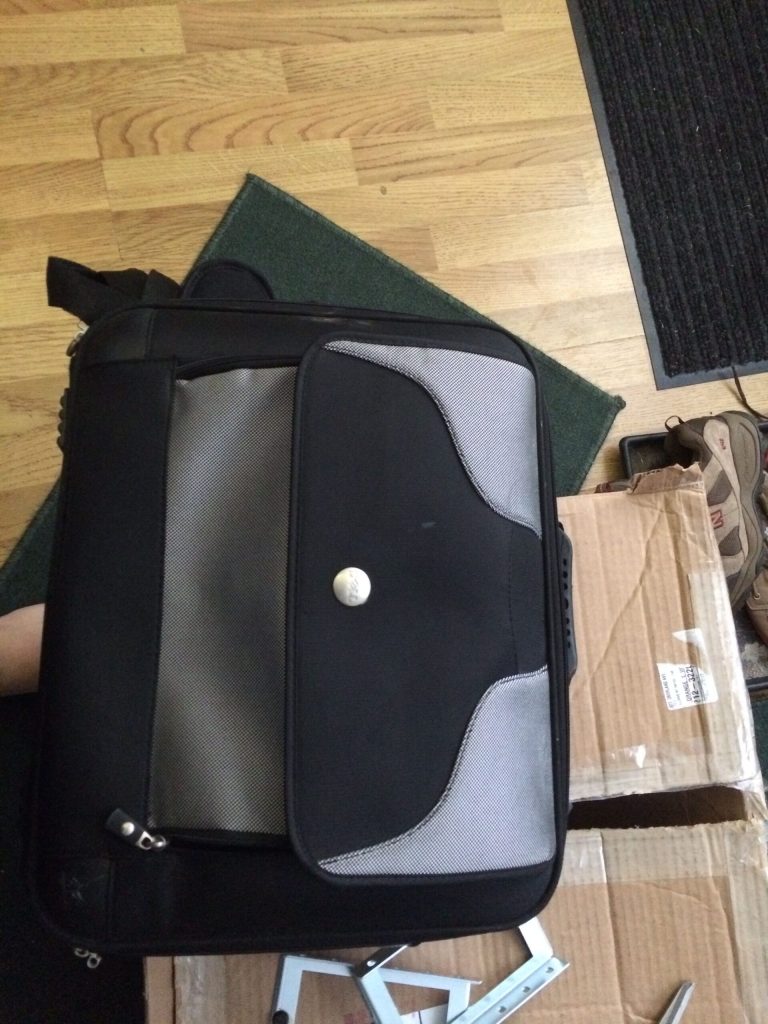
Using an old laptop bag for packaging material is pretty genius! (And you can’t have too many laptop bags!) On the bottom is the rack ears, which I may actually bring the Mitel over to the server barn (i.e. a small rack in the family room.)

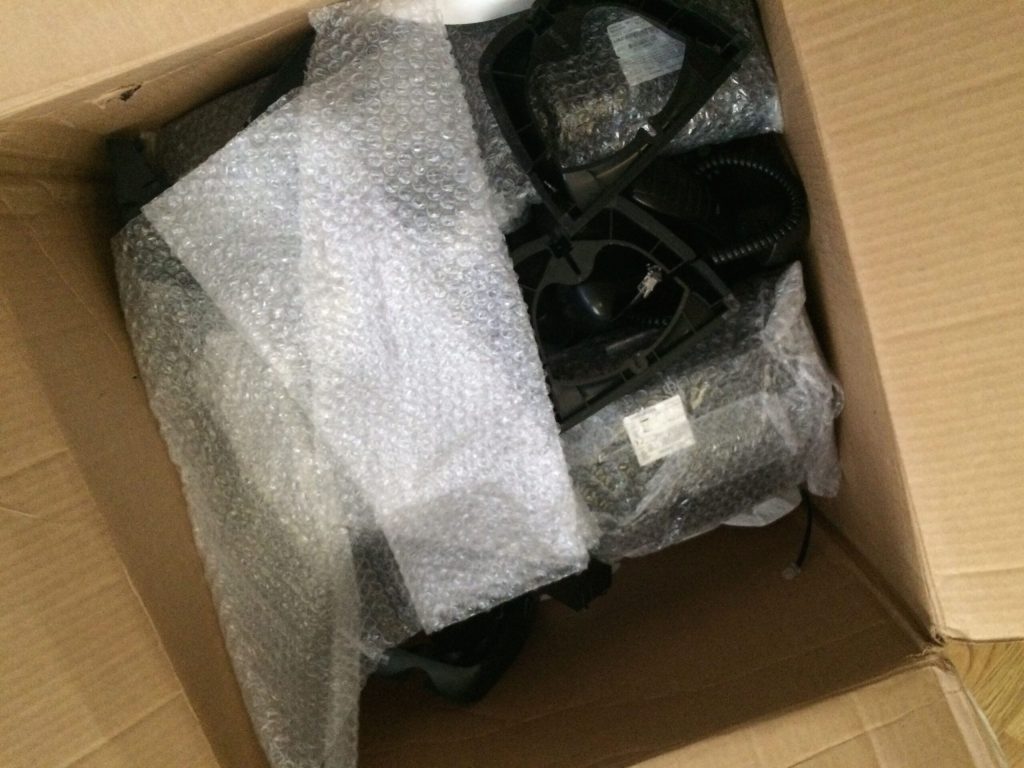
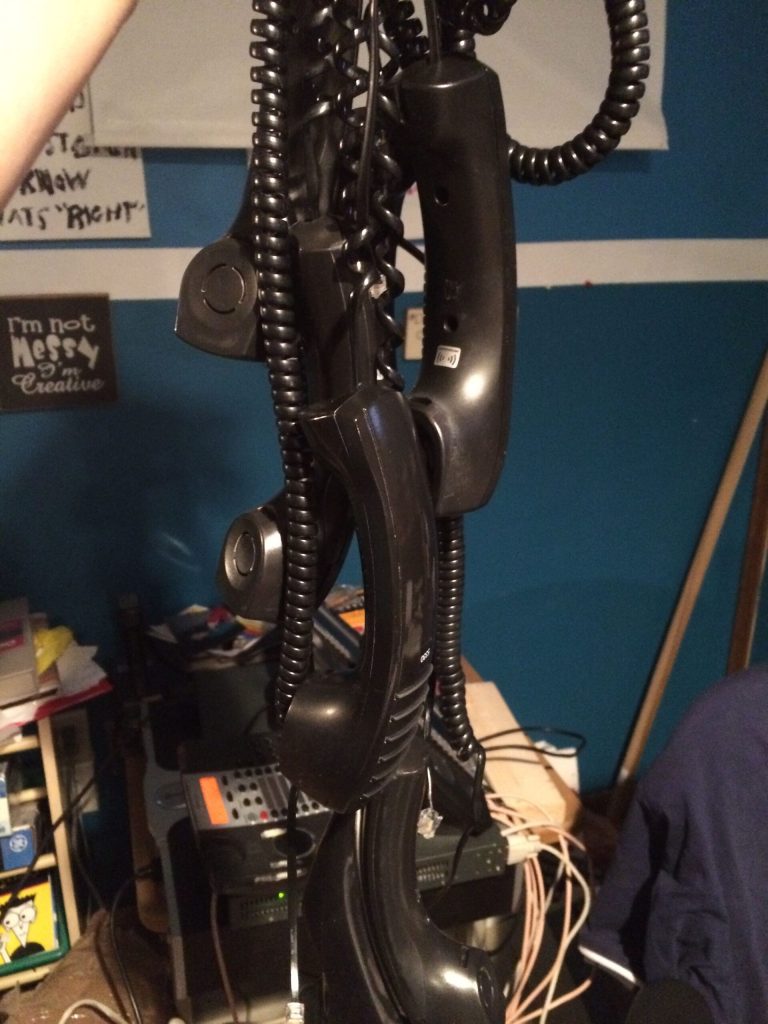
A bunch of Mitel IP phones, I had some extra handsets, wonder if they can work on the headset jack for “training” uses, you know, hehe?

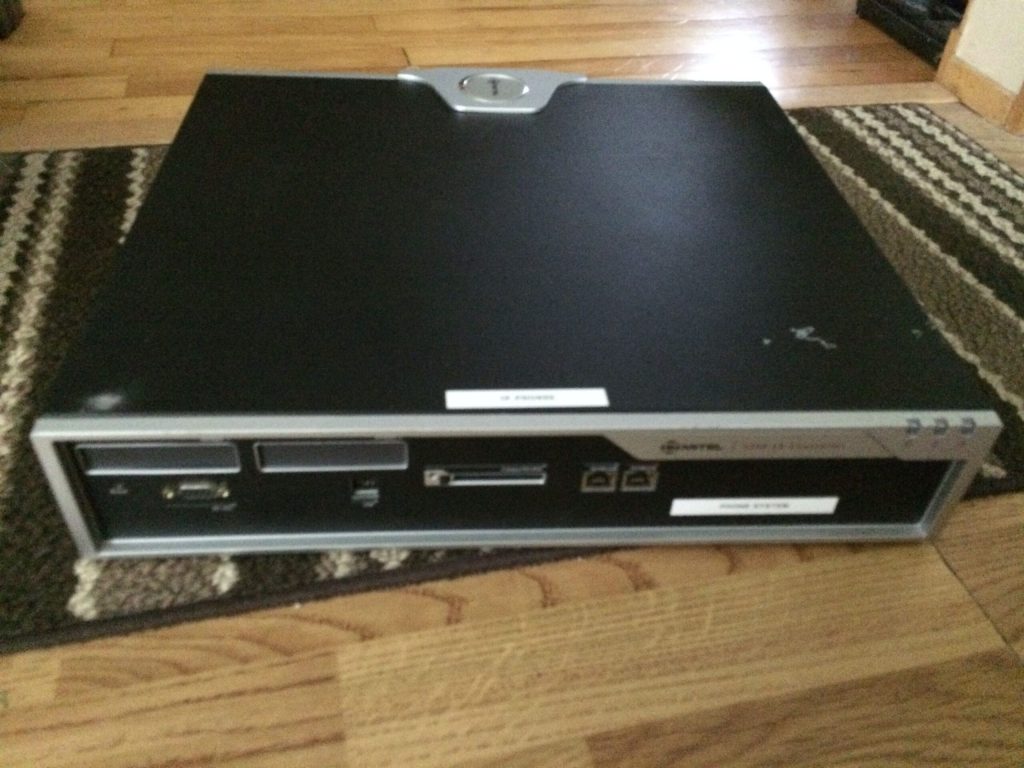
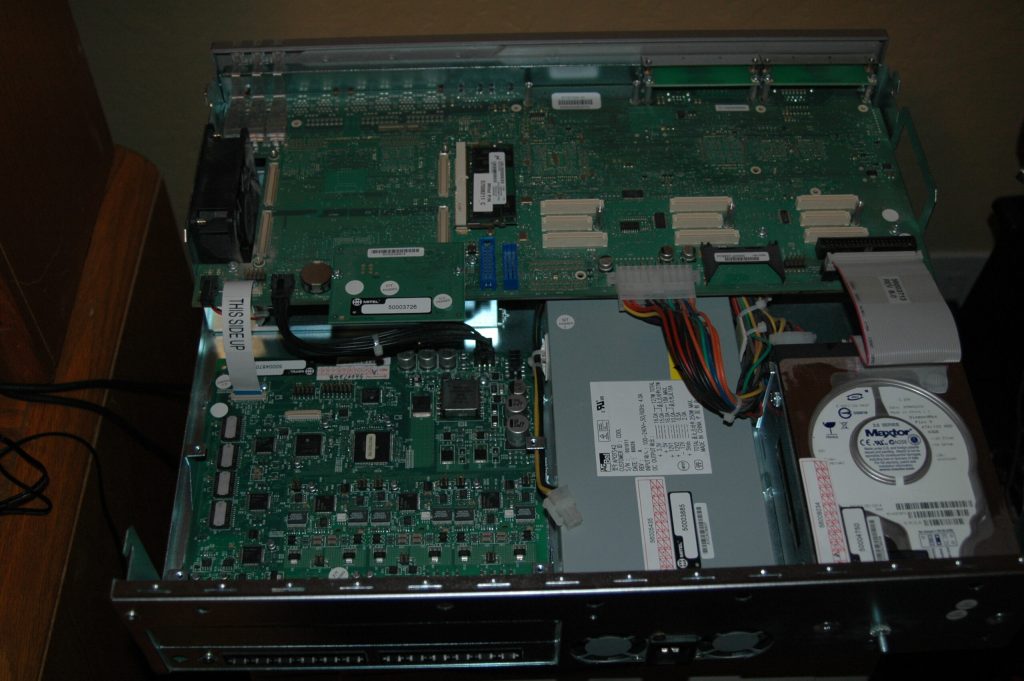
The basic Control Unit, without digital boards (in the front panel.) I’ve yet to open up the system because I believe its screwed shut, and I just found time to blog on this – as I haven’t gotten into the inside – yet.

Not sure if I have the formal OK to post this image from a private email from Jason, here is an inside of his he took for me to see.

This looked a little artsy.

I did get more handsets than telsets, and the box could’ve held about 12 Mitel IP sets. Mitels are cool in the design because the way they made it low profile. The sets are heavily curved, so a 7″ deep set of a modern Mitel equates to a 8″ of a traditional boxy telset. (These in fact remind me of the Merlin style believe it or not.) This also comes from the same vendor that made some really odd looking sets in the late 80s, ones I haven’t taken photos of. Mitel also made some really odd looking first gen screen phones. I don’t have a picture handy, and I think it’s best to try to let it rot and not put it on the Web.

Setting up the Mitel was really easy, given the dependency on an old version of Internet Explorer (the admin is about a decade old when IE 6 ruled the world – don’t blame me for vendors creating apps just for Microsoft!) and navigating through its prompts I was able to create a dial plan, figured out how to set up the phone’s line appearances, etc.


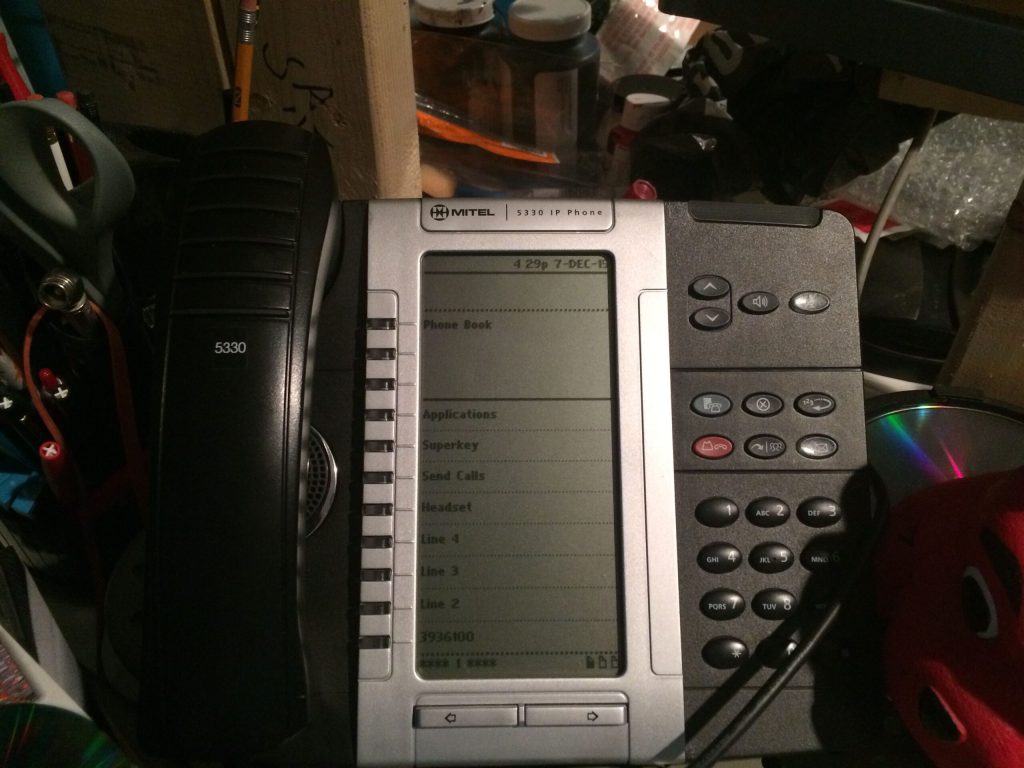
I got a few 5330s, their screen based sets. They are similar to Avaya’s 960x series, to not fully alienate traditional desktop users. The main information is on the top, and the lines and feature are below the solid black line. Page up through 3 pages and you can have up to 24 features and lines. (From my experiences, you can’t go beyond 4 call appearances -sometimes called “Multicall” on Mitels, but there maybe a loophole with bridged appearances.)

(You wonder how come I have “Send Calls” on the screen? Simple, you can rename feature keys or anything for that matter, which is good if you cutover from one vendor to another and try to mitigate retraining… wait, IT guys ask what is “training”?)

A caveat I learned was the blue button known as the Superkey does not work like other Mitel sets. For these 5330s, you have to program a feature button also known as a Superkey to change ringers, and other settings – for me it’s a little weird. Hardware specific on the 5330s is done on the actual blue key – which to others could be mistaken as a Superkey.

Despite other oddities, the system compensates it with very feature rich functions on the sets themselves. If you don’t get through to another user, you can activate their MWI by pressing your VM access key while ringing – which is kinda cool.

This is an incomplete post with more pictures and video to follow.

Rants: IT’s Dissent to Telephony

File this under IT is what it shouldn’t be. I mean, IT as in Information Technology.

A partner  of mine gave me a link to a page entitled “Meridian System Tech Support Guide” written by a Nicole Hayward for some pro-IP voice provider. Joe the UCX Guy would have a field day with these types of sales traps.

Let’s take apart the post one by one and call this young lil’ whippersnapper out

It’s no surprise that many network administrators and IT professionals are seeking Nortel Meridian Phone System tech support.

Well, I mean if you’re in IT, you hate people, why would you want to manage a system that requires people skills (AND having to deal with end users?)

 Released initially in 1975*, it’s been said that the Nortel Meridian is still the most widely used PBX for businesses with 60 to 80,000 lines. But when it comes to support, the hard truth is: Meridian systems are well beyond end-of-life

* Somewhat misleading, the SL1 came out in 1975, the Meridian 1 went to market circa 1990. As she implies in the last sentence, lets not let the facts get away of a good sale. She uses Wikipedia as a primary source, instead of here. (Laughing out loud!) Don’t get me started with the agism on the last sentence.

Nortel went out of business in 2009, and Avaya acquired its assets. There is no single source for Meridian tech support, but I’ve gathered a few resources and tips below. Please keep in mind: You’re probably better off selecting a Nortel Meridian phone system replacement.

“No single source” – well wasn’t that Northern’s way of using vendors for non Fortune 500s? Whatever. Like the UCX system. All you need is a server replacement. All gateways and digital and IP stations made in the last 25 years will work, young miss. instead of some crappy phone service that that basically emulates tip and ring over IP to be honest. I gotta do a SIP article sometime soon.

On the common system failures, this girl confuses the M1 line to the key based Norstar. (And yes I’m being crude, because there are women out there who do love TDM phones and can be much more intelligent than some millenial)  Again, sales have no damn clue about telephony at all.

  1. System Programming Failure – “The Nortel Norstar system utilizes a super capacitor (super cap) for maintaining the programming data in memory. The problem is that the supercapacitor has a high incidence of failure as it ages. There are no outwards sign of failure (nor any way to test, other than unplugging the system) as it’s only there as a data “backup” system.”  [Kremlacek]

IT people or ones with aggressive sales backgrounds are very manipulative. If she ever worked for me, I’d press her for harassment charges, with her kinda tone that shows below.

If you have prior experience with Meridian equipment, manuals may help. Otherwise, don’t try this at home, folks.

What, I can’t have an M1 in my house? Not even an Option 11… my goodness what planet are YOU on?

While I couldn’t find a single repository of Nortel Meridian manuals on Avaya.com, many of the past PBX resellers and business partners have published them. I found a big list of Meridian 1 Options 11C, 51C, 61C, and 81C manuals here. You can find a particular manual by Googling the system option, e.g. “Meridian 1 Option 11C Manual.”

Yeah Google may not be your best friend, ever tried SUPPORT.avaya.com? And what is this Unix reference of “Repository” – we we call it in the ‘biz a COLLECTION…grrr! 

At this point, I want to become a Wookie…and I’m not even a Star Wars fan!

Among the other options, she writes about the various options, but basically rips and writes the content, and doesn’t put it into her words, like whatever Avaya’s brochure says, must be true, type of attitude.

So here goes the sales pitch:

While it’s tempting to keep your existing phone system on its last legs, consider the costs: your time, a technician service and/or Avaya maintenance contract, refurbished parts, etc. And at the end of the day, it’s a short-term fix. You are better off considering a new phone system solution, and it’s likely a hosted VoIP PBX will work for you.

Why hosted VoIP? If you were getting along fine with the basic phone system functionality that the Meridian PBX offered, your organization will be floored with the capabilities that a cloud VoIP providers offer.

Um, excuse me? Do you even have a clue how many features the M1 has, or are you judging on the original SL-1 specs from 1975? Oh wait, there’s more!

Switching to hosted VoIP can be done in a matter of days. Most hosted VoIP solutions, like OnSIP, have 50+ phone sytem features, utilize your existing LAN, and require no investment in equipment beyond the phones.

There is over 300 end user features on the M1 and I am not even CLOSE to being a Nerdtel fanboy, Nicole! There you go, these scare tactics + sales makes customers creep out and cave into some dummy millenials who can’t tell from tip vs ring, or the functionality of a true PBX vs some Asterisk type. Good luck cutting over to a “hosted” solution for 8,000 ports (an average port count in an M1 setup.)  These IT and sales people want to sit at their workstations and not get them fingers dirty in those lovely 66blocks with hard wired telephones.

Of that, lets turn this sales pitch, to something relevant to the Museum, if you walked away in the last calendar year learning something new about telephony, please return the favor with kind feedback or a donation or something on the Wish List. I’m love to get tiny compensation to take time out of my busy live to try to fill the Web of something other than the Political Correctness of Technology known as Information Technology or PCs. I stride to be 99.999% accurate and clear of all the exhibits and posts before it gets published.

*
9/11 Remembrance/AT&T Archives Throwback

Every year the Museum will remember 9/11 until I die or the site dies, whatever comes first.

It’s something we cannot forget, because sadly people are forgetting and our children have no idea, and some people as young as 25 year olds are confused to see a New York once up in smoke and can’t understand how people fell out of the Twin Towers to escape the hell or go into hell, depending on how you look at it.

The Twin Towers had cheated disasters before. The bombings in February of 1993 impacted a lot more people, because each tower could hold up to 50,000 people of workers, visitors, travelers, etc. On the morning of 9/11, Lower Manhattan was considered very lucky compared to 1993, given it was a late summer day, a Yankees game went into extra innings due to a rain delay and people deciding to show up at work at 9:00 instead of 7 or 6 in the morning made the death count much lower than what could’ve been.

(In the 1993 bombings, the bombers tried to hit one of the 4 corners of the towers, and supposedly if they had hit one of the corners of the towers, it could loose it’s integrity immediately. Lower Manhattan was lucky too, as the bombers missed their target.)

Regardless between the three coordinated attacks, over 3,000 people died. AT&T, which was mostly an LD, data transport and cable TV services did not loose any of their workers, while other engineers did loose life.

According to AT&T, the switching system used in 2001, mostly of 5ESS or possibly DMS switching systems remained in tact. In fact because the switching systems were in a vault, the services (at least wired connections) could’ve worked if it wasn’t the wiring getting severed by the atrocious damage of the towers.

In the early 1970s, AT&T produced a video of the construction of the World Trade Center, and installation of switching equipment at the time (albeit an earlier generation of an ESS) and the days that followed with a typical business day in the Twin Towers. This film was released in 1976