Telephony 101: Teletypewriter/TTY/TDD

A teletypewriter is a special device that was typically known as the Telecommunications Device for the Deaf or TDD. These devices act as typewriters that can carry special signals to provide text based communications over voice telephone lines. This was the beginning of using data over the telephone lines.

This technology was invented in the 1960s, nearly a century after Alexander Graham Bell attempted to invent the telephone for this audience, which obviously went for the masses who could speak or hear. The Teletypewriter (known as TTY) was initially referred to leased line that provided automatic printing such as news wire services or even for a console access to mainframes. (In fact, if a customer was very frugal dumb terminals for some were too expensive so computing would result in the typewriter that would automatically “printout” what was coming off the “screen”. A user would respond to commands by typing it into the typewriter which then would relay it to the computer.)

TDD/TTY uses a standardized protocol that basically sends various tones through the telephone lines so the other end would receive the message. According to Wikipedia (use with caution) the change to IP in the traditional phone cloud, would make these devices unusable (including the 500 Rotary telephones) because the complexity of converting landline networks to work in “native” cyber (or packet) worlds. While VOIP enables some analog communications, the move to IP would be easier to service providers to tell users to just send iMessages, SMS, Tweet, IM or other text based technologies instead.

According to various sources, TDD is separate from TTY in the technological sense, and speech impaired users that may have acquired brain disorders; a non verbal, but high functioning form of the autism spectrum disorder; cerebral palsy or other types of speech disorders) are basically non existent users. Or so you think. It’s not to say that people who aren’t deaf can’t use this technology and people with speech impairments have ether used TTY or all the other IP based communications like IM, Web, social media and text messaging.

Because of the similarities of the two platforms, here at The Museum, I believe the term should be referred as TTY as non verbal people are actually disabled users to any telephony technologies as well. Using “TTY” in the generic sense would enable inclusion to all disabled users of this technology.

My Collection: A Definity AUDIX Board!

Update: 02-23-15 at 9:20 pm We’ve gots some problems… Presently tried to follow all the instructions but the board appears to be booting up but the ASA and even TUTTY (Putty + AT&T Terminal) clients are stuck in the BSOD. According to historic documentation, the LEDs are working as they should after boot, so maybe something failed at the connector side. I sure hope I didn’t “break” it…

So I got another surprise gift from Jason that was sent on President’s Day. I just received it a couple hours ago. This Definity AUDIX board is an integrated voice mail system for the Definity platform. These are no longer available and were designed in small environments. It was on the market for most of the 90s and probably up to 2001. The replacement would be an external PC or now a Modular Messaging running on a server class PC or an Aura virtual appliance. The beauty of this tiny board is it gave customers in small sites the power of the bigger AUDIX system. And hopefully I can hear the AUDIX lady once I get into the thing!

So much for that cutover back to the Cisco huh?

Phun: “Rejected by 7 Different Technologies”

Since answering machines had such an important role before voicemail, and even when voicemail began in commercial markets in the mid 1980s, it was designed almost as a fancy answering machine and it’s Saint Valentine’s Day, why don’t we just have some fun and quote movies like He’s Just Not That Into You and relive the days of romantic rejections 25 years ago

Continue reading

Phones @ Work: Local Burlington Coat Factory

IMG_2803

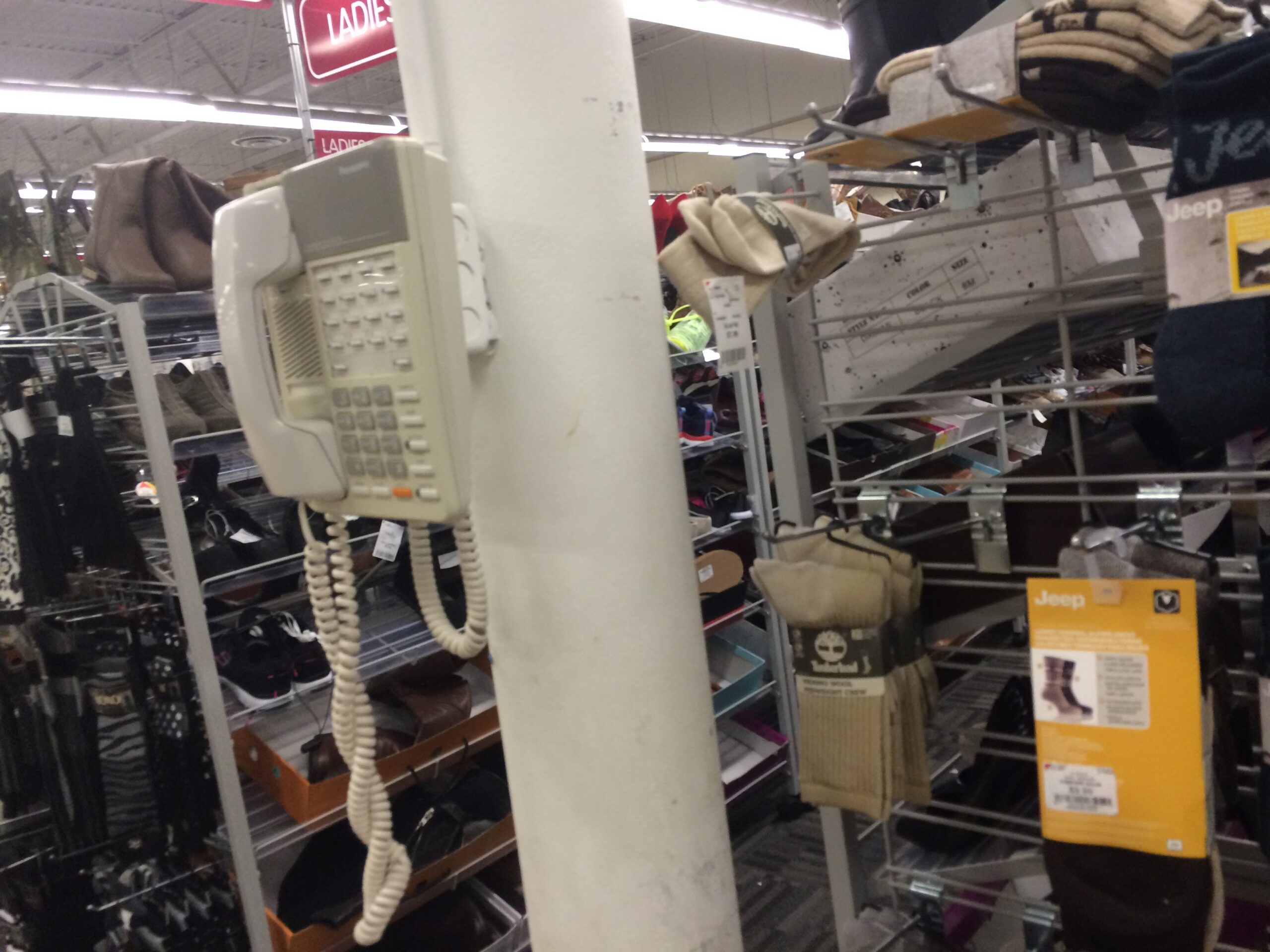
This Panasonic KX-T KSU telephone taken at my local Burlington Coat Factory. This is not to be confused with the DBS series that was on the market from the early 1990s to 2002. The KX-T systems replaced the DBS series (for reasons that isn’t well known), despite being the market for about the same time.

You wonder why there’s two handsets cables? I bet the sub/contractor didn’t have a replacement line cord and apparently terminated the cord with an RJ-11 plug, I suppose? Regardless, that other handset cable is serving as the line cable.

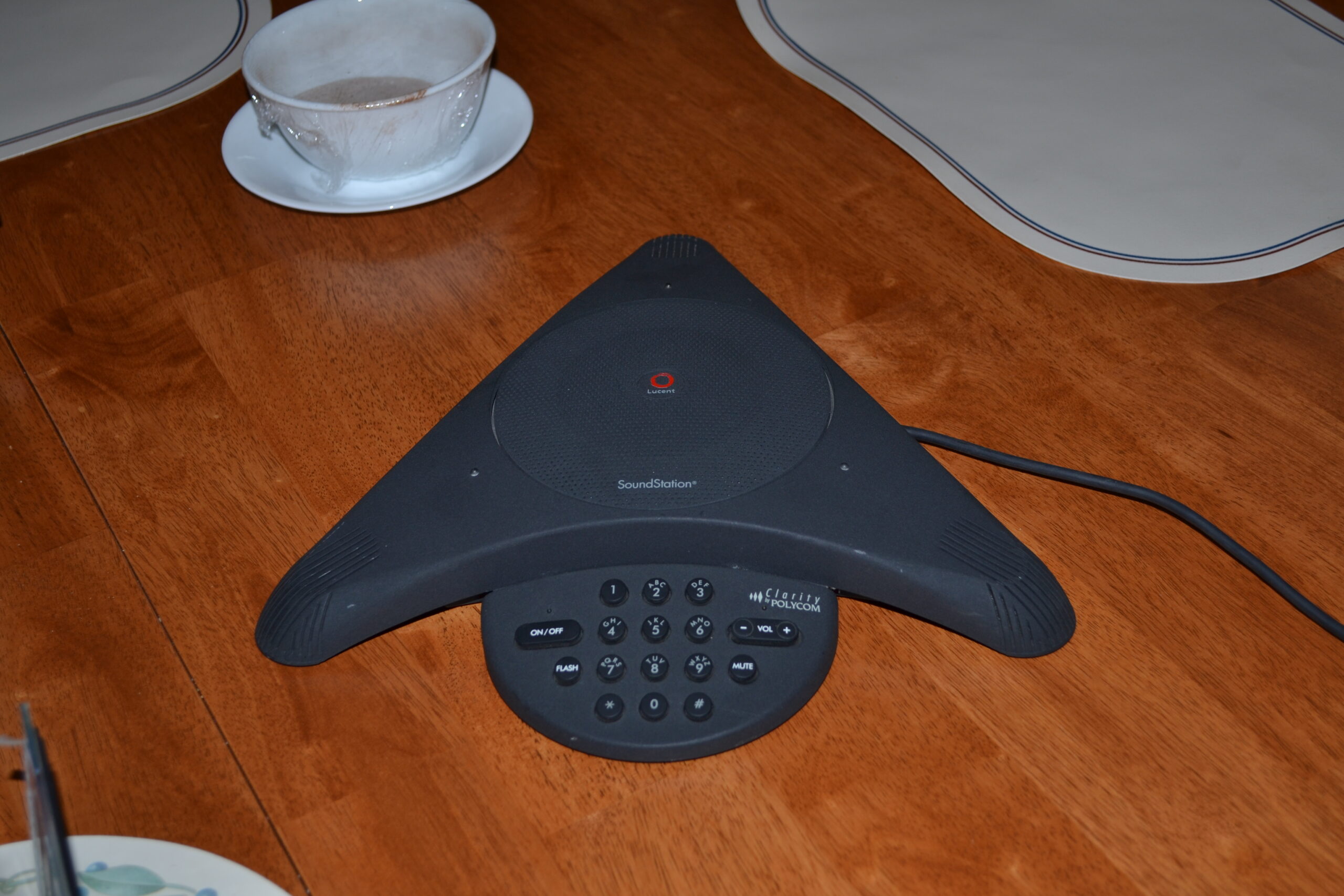
My Collection: Polycom SoundStation

DSC_1886

Hey Polycom from 2012, I’ve been looking all over my network for you! How have you been? 

This supposed to be the original photo for my SoundStation but decided to take a picture of late. This one taken in 2012 was more picture-esque and now I found it, I can move it over to the static page of my collection. This model was a private label for Lucent and is an analog set that can be used in POTS or analog lines in a PBX or Key setups.

Video: Nortel Meridian M9617 POTS Telephone


Thanks to Joe the UCX Guy who contacted me offline to offer one of his two sets he had. According to his post, “A friend sent me this set, and it works, although it’s a bit strange, the volume on the handset is really low on both lines.  Hands free is loud and clear but the handset is quite low volume.”

These sets were basically NOS or perhaps “New Old Stock” because he had opened them recently.

He tried to install the app on a  Windows 10 PC to no avail. Well there is such thing as virtualization and running older operating systems.

This video features the unboxing. The next video I’m trying to shoot for tomorrow, the 19th, where I will literally try to install the application per to Nortels specifications (I’ll try it on NT Workstation 4, with 8MB ram, 10MB harddisk and USB, TAPI, and all the other fun stuff for it to work and run it on Fusion on my Mac mini. I will say it will sure be fun to try!)

Without forgetting, Thank You!

Rants: Sales & Marketing’s Abusive Telephony Agenda

If you thought the previous post on lies about TDM PBX not capable of modern telephony was good, then to use the ol Ron Popiel cliche But Wait There’s More!

This post will be a little raunchy, I should’ve posted this on my personal site, but I couldn’t help to resist when I got a couple off-site feedback from people defending my first one, so “the hits keep on coming!” I hope.

This same site had another post from some dude that can’t tell ISDN from T1 or that anything that supports TDM telephony because afterall TDM is automatically native to VOIP technology. The practices of torture, lies and manipulation from S&M (now did you get the innuendo?) is just getting complex now. Anyone that wants to push SIP as a be-all-end-all solution is now getting pushed to customers who can’t a) fight back or b) they don’t know anything about telecom/telephony so they’ll take a solution and in many VOIP setups w/out telecom support, they leave the system abandoned and most often the VOIP system plus the S&M types push and torture, will often be unsupported, phones crashing, users wanting assistance to then be denied by the heartless IT administrators… (why am I writing this during the holidays when this should be more of a Halloween themed post?)

Continue reading

My Collection: Mitel 3300 and IP Phones!

This sudden surprise came to me from Jason, the same one that gave me his old G3 PBX. This time it was a Christmas present for me. I really appreciate it. I got less than a 36 hour notice a package would come via UPS to my doorstep, to find out he had an extra Mitel system.

Without going into details, the system arrived Wednesday, the 2nd. I got a completely full fledged system capable of voice mail, auto attendant, analog trunking and what seems to be a dozen IP phones.

I decommissioned a Nortel POE switch I had for over a year to get a Cisco POE switch (since you know its best to have “Cisco all the way” – especially when I’ve made an aggressive move to use VLANs.) Simply put, to reduce manual labor of programming VLANs on Cisco Phones, it’s best to use a Catalyst Express 520 and enable CDP at the Cisco router so the PC traffic can talk to the other 12 ports and the VOIP talk to the other 12 ports. Makes life a lot easier especially when I’m introducing internet hosting to the network (next year’s project.)


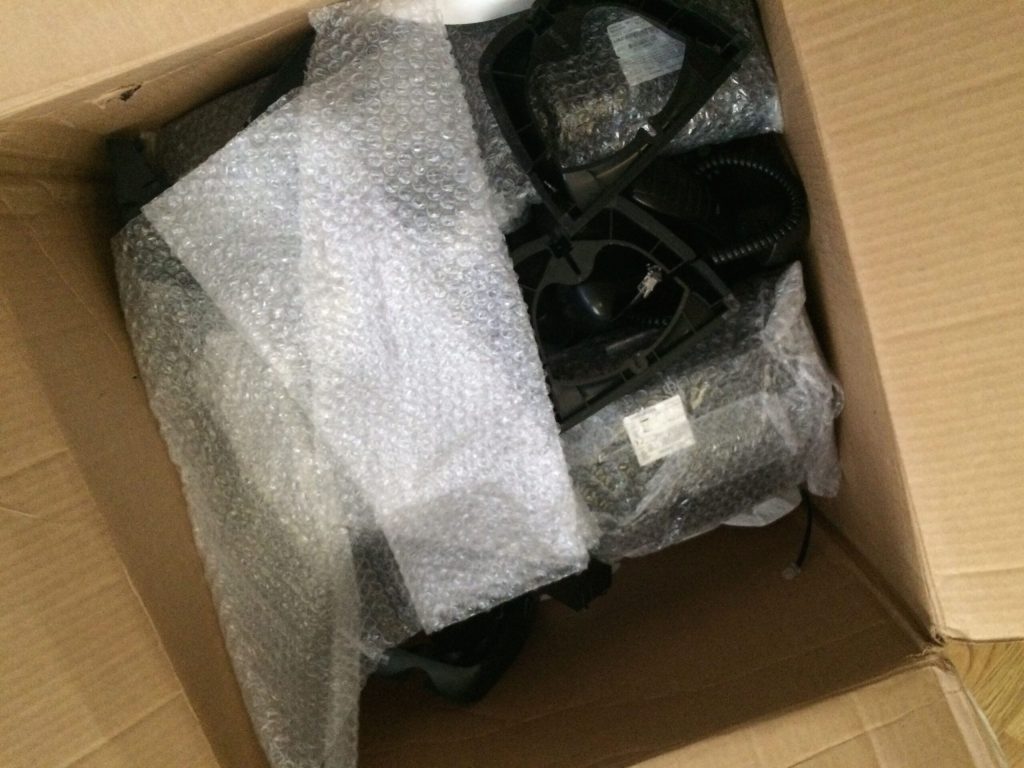
The package came on the day that it happened to rain for the first time in years (sarcasm implied.) The UPS folks were too lazy to put the system in the proper baggy, and the package was damp, and the control unit (on the bottom) was about to break open. Factor the raw cold air, I left it downstairs for a few hours.

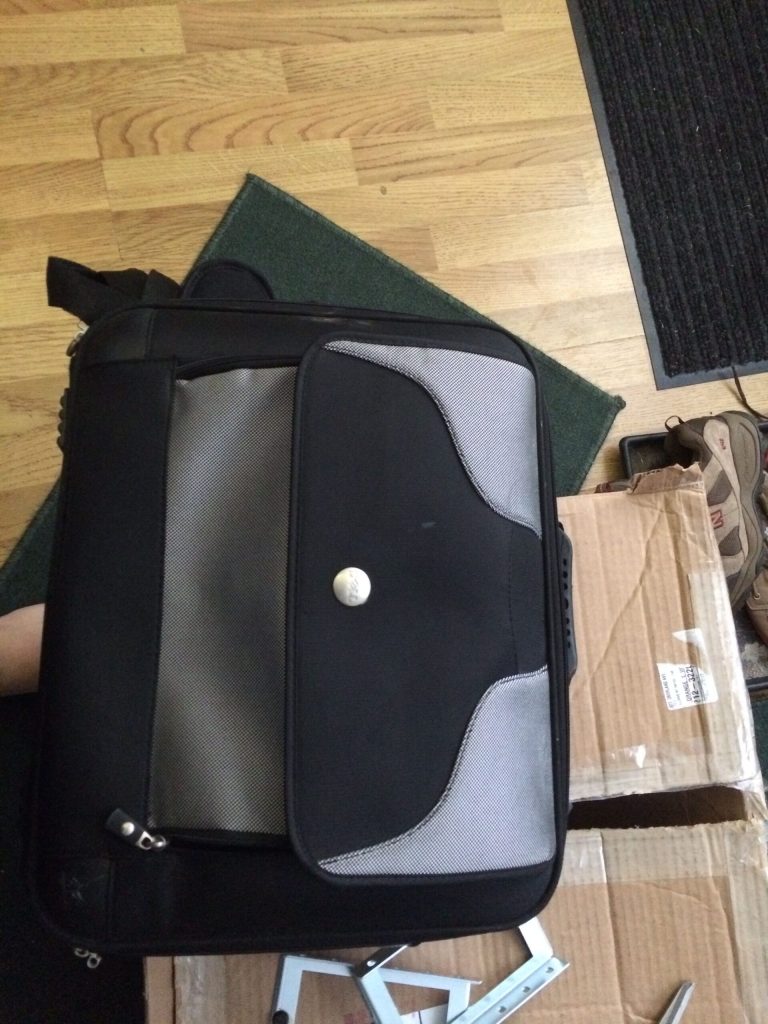
Using an old laptop bag for packaging material is pretty genius! (And you can’t have too many laptop bags!) On the bottom is the rack ears, which I may actually bring the Mitel over to the server barn (i.e. a small rack in the family room.)

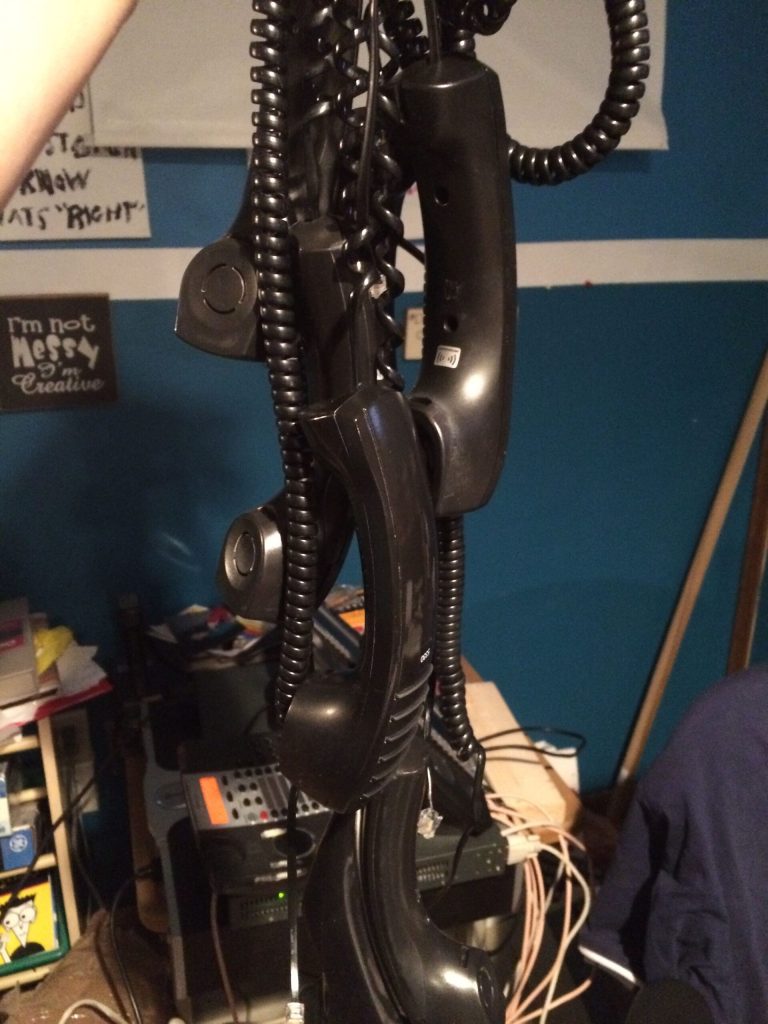
A bunch of Mitel IP phones, I had some extra handsets, wonder if they can work on the headset jack for “training” uses, you know, hehe?

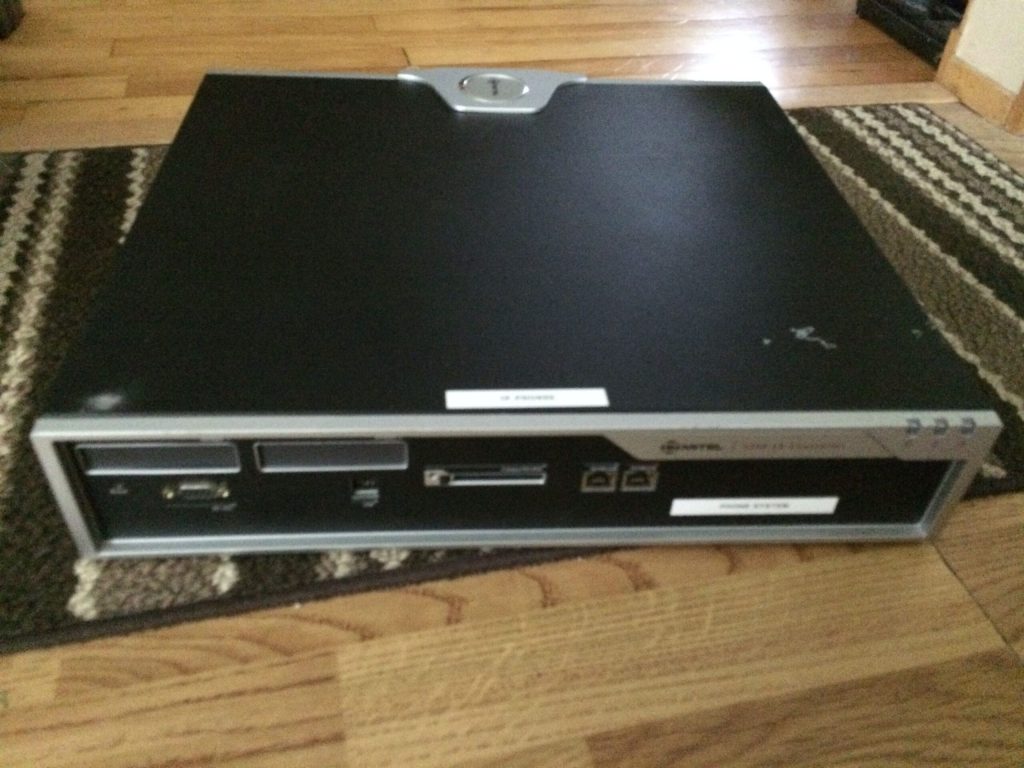
The basic Control Unit, without digital boards (in the front panel.) I’ve yet to open up the system because I believe its screwed shut, and I just found time to blog on this – as I haven’t gotten into the inside – yet.

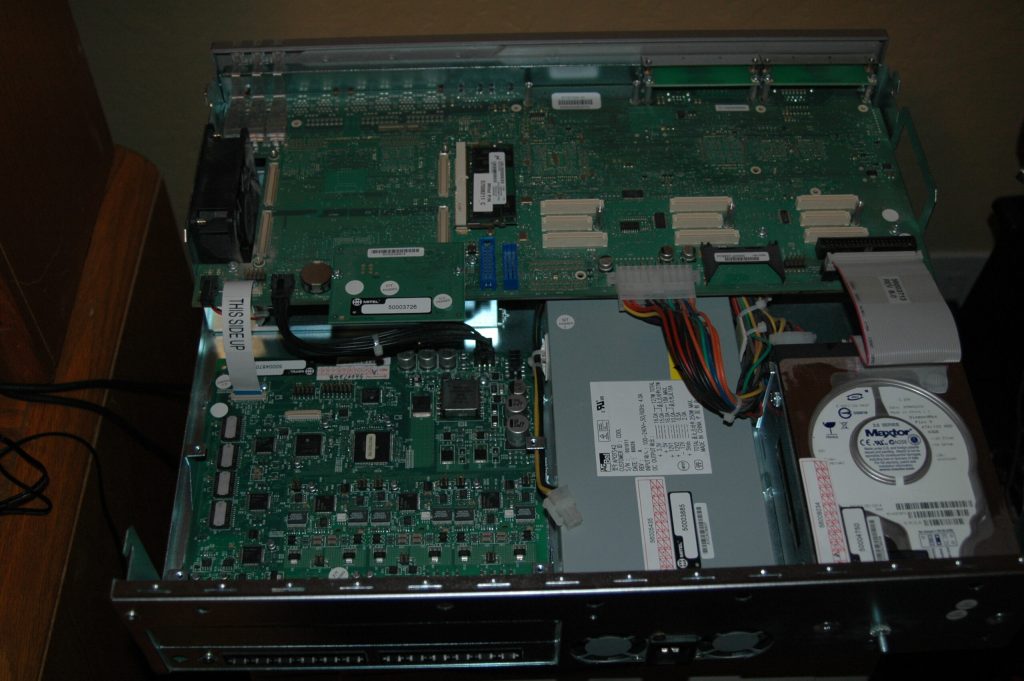
Not sure if I have the formal OK to post this image from a private email from Jason, here is an inside of his he took for me to see.

This looked a little artsy.

I did get more handsets than telsets, and the box could’ve held about 12 Mitel IP sets. Mitels are cool in the design because the way they made it low profile. The sets are heavily curved, so a 7″ deep set of a modern Mitel equates to a 8″ of a traditional boxy telset. (These in fact remind me of the Merlin style believe it or not.) This also comes from the same vendor that made some really odd looking sets in the late 80s, ones I haven’t taken photos of. Mitel also made some really odd looking first gen screen phones. I don’t have a picture handy, and I think it’s best to try to let it rot and not put it on the Web.

Setting up the Mitel was really easy, given the dependency on an old version of Internet Explorer (the admin is about a decade old when IE 6 ruled the world – don’t blame me for vendors creating apps just for Microsoft!) and navigating through its prompts I was able to create a dial plan, figured out how to set up the phone’s line appearances, etc.


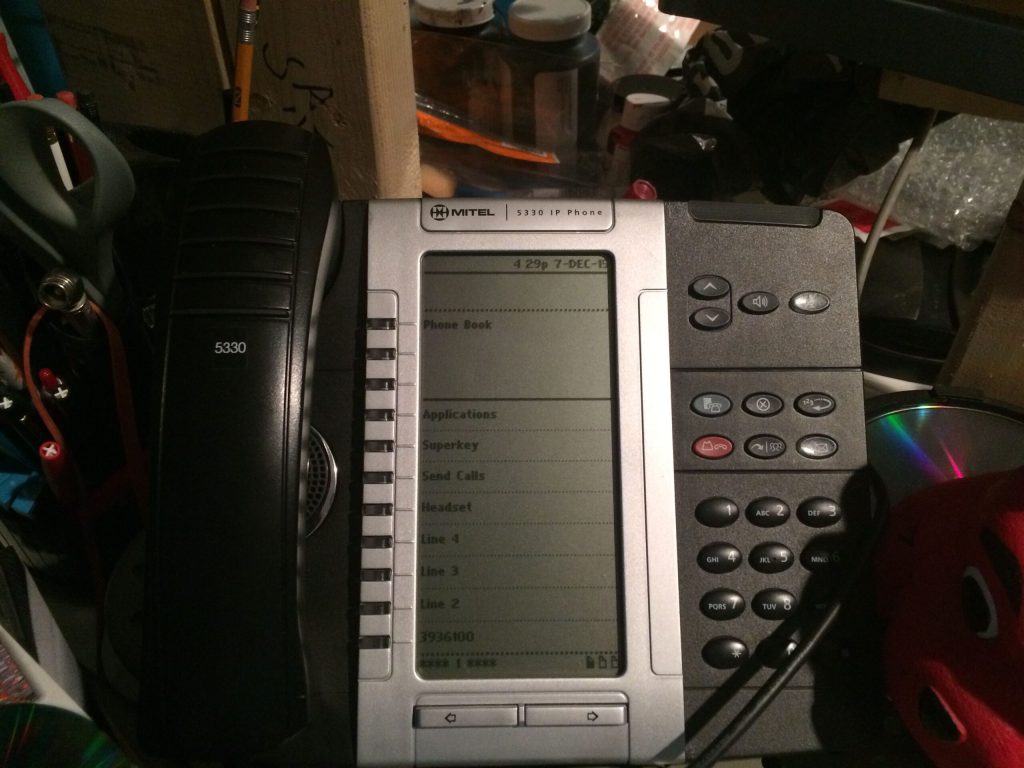
I got a few 5330s, their screen based sets. They are similar to Avaya’s 960x series, to not fully alienate traditional desktop users. The main information is on the top, and the lines and feature are below the solid black line. Page up through 3 pages and you can have up to 24 features and lines. (From my experiences, you can’t go beyond 4 call appearances -sometimes called “Multicall” on Mitels, but there maybe a loophole with bridged appearances.)

(You wonder how come I have “Send Calls” on the screen? Simple, you can rename feature keys or anything for that matter, which is good if you cutover from one vendor to another and try to mitigate retraining… wait, IT guys ask what is “training”?)

A caveat I learned was the blue button known as the Superkey does not work like other Mitel sets. For these 5330s, you have to program a feature button also known as a Superkey to change ringers, and other settings – for me it’s a little weird. Hardware specific on the 5330s is done on the actual blue key – which to others could be mistaken as a Superkey.

Despite other oddities, the system compensates it with very feature rich functions on the sets themselves. If you don’t get through to another user, you can activate their MWI by pressing your VM access key while ringing – which is kinda cool.

This is an incomplete post with more pictures and video to follow.

Rants: IT’s Dissent to Telephony

File this under IT is what it shouldn’t be. I mean, IT as in Information Technology.

A partner  of mine gave me a link to a page entitled “Meridian System Tech Support Guide” written by a Nicole Hayward for some pro-IP voice provider. Joe the UCX Guy would have a field day with these types of sales traps.

Let’s take apart the post one by one and call this young lil’ whippersnapper out

It’s no surprise that many network administrators and IT professionals are seeking Nortel Meridian Phone System tech support.

Well, I mean if you’re in IT, you hate people, why would you want to manage a system that requires people skills (AND having to deal with end users?)

 Released initially in 1975*, it’s been said that the Nortel Meridian is still the most widely used PBX for businesses with 60 to 80,000 lines. But when it comes to support, the hard truth is: Meridian systems are well beyond end-of-life

* Somewhat misleading, the SL1 came out in 1975, the Meridian 1 went to market circa 1990. As she implies in the last sentence, lets not let the facts get away of a good sale. She uses Wikipedia as a primary source, instead of here. (Laughing out loud!) Don’t get me started with the agism on the last sentence.

Nortel went out of business in 2009, and Avaya acquired its assets. There is no single source for Meridian tech support, but I’ve gathered a few resources and tips below. Please keep in mind: You’re probably better off selecting a Nortel Meridian phone system replacement.

“No single source” – well wasn’t that Northern’s way of using vendors for non Fortune 500s? Whatever. Like the UCX system. All you need is a server replacement. All gateways and digital and IP stations made in the last 25 years will work, young miss. instead of some crappy phone service that that basically emulates tip and ring over IP to be honest. I gotta do a SIP article sometime soon.

On the common system failures, this girl confuses the M1 line to the key based Norstar. (And yes I’m being crude, because there are women out there who do love TDM phones and can be much more intelligent than some millenial)  Again, sales have no damn clue about telephony at all.

  1. System Programming Failure – “The Nortel Norstar system utilizes a super capacitor (super cap) for maintaining the programming data in memory. The problem is that the supercapacitor has a high incidence of failure as it ages. There are no outwards sign of failure (nor any way to test, other than unplugging the system) as it’s only there as a data “backup” system.”  [Kremlacek]

IT people or ones with aggressive sales backgrounds are very manipulative. If she ever worked for me, I’d press her for harassment charges, with her kinda tone that shows below.

If you have prior experience with Meridian equipment, manuals may help. Otherwise, don’t try this at home, folks.

What, I can’t have an M1 in my house? Not even an Option 11… my goodness what planet are YOU on?

While I couldn’t find a single repository of Nortel Meridian manuals on Avaya.com, many of the past PBX resellers and business partners have published them. I found a big list of Meridian 1 Options 11C, 51C, 61C, and 81C manuals here. You can find a particular manual by Googling the system option, e.g. “Meridian 1 Option 11C Manual.”

Yeah Google may not be your best friend, ever tried SUPPORT.avaya.com? And what is this Unix reference of “Repository” – we we call it in the ‘biz a COLLECTION…grrr! 

At this point, I want to become a Wookie…and I’m not even a Star Wars fan!

Among the other options, she writes about the various options, but basically rips and writes the content, and doesn’t put it into her words, like whatever Avaya’s brochure says, must be true, type of attitude.

So here goes the sales pitch:

While it’s tempting to keep your existing phone system on its last legs, consider the costs: your time, a technician service and/or Avaya maintenance contract, refurbished parts, etc. And at the end of the day, it’s a short-term fix. You are better off considering a new phone system solution, and it’s likely a hosted VoIP PBX will work for you.

Why hosted VoIP? If you were getting along fine with the basic phone system functionality that the Meridian PBX offered, your organization will be floored with the capabilities that a cloud VoIP providers offer.

Um, excuse me? Do you even have a clue how many features the M1 has, or are you judging on the original SL-1 specs from 1975? Oh wait, there’s more!

Switching to hosted VoIP can be done in a matter of days. Most hosted VoIP solutions, like OnSIP, have 50+ phone sytem features, utilize your existing LAN, and require no investment in equipment beyond the phones.

There is over 300 end user features on the M1 and I am not even CLOSE to being a Nerdtel fanboy, Nicole! There you go, these scare tactics + sales makes customers creep out and cave into some dummy millenials who can’t tell from tip vs ring, or the functionality of a true PBX vs some Asterisk type. Good luck cutting over to a “hosted” solution for 8,000 ports (an average port count in an M1 setup.)  These IT and sales people want to sit at their workstations and not get them fingers dirty in those lovely 66blocks with hard wired telephones.

Of that, lets turn this sales pitch, to something relevant to the Museum, if you walked away in the last calendar year learning something new about telephony, please return the favor with kind feedback or a donation or something on the Wish List. I’m love to get tiny compensation to take time out of my busy live to try to fill the Web of something other than the Political Correctness of Technology known as Information Technology or PCs. I stride to be 99.999% accurate and clear of all the exhibits and posts before it gets published.

*
My Collection: Princess Telephone

That $1 telephone I mentioned earlier was this guy (or girl)

If you know the history of Western Electric telephones from the late 60s, the Princess was basically marketed to women. This would be the first “chick phone”, way before the days of the RAZR, and other girly phones I have forgotten since the last decade.

The thing is so beaten up. The base is cracked, the bottom surface is breaking off and it doesn’t have the “Princess” logo on the bottom like other sets.

This is the same green colored phone similar to the 500 set that I got around 2008.